Nvidia's DLSS magic finally makes Red Dead Redemption 2 playable at 8K on an RTX 3090

Our 8K test system

PC built by Chillbast

Motherboard: Asus ROG STRIX Z390-E GAMING
CPU Cooler: Noctua NH-U14S
Case fans: Noctua NF-A14 PWM Chromax 140mm
Processor: Intel Core i9-9900K, 8 Cores / 16 Threads
GPU: Nvidia GeForce RTX 3090
Storage: 500GB Samsung 970 EVO Plus M.2 PCIe
Secondary Storage: 2TB Samsung 860 QVO
Power: Corsair RM850x 80 PLUS Gold 850W PSU
Case: Fractal Design Vector RS Tempered Glass
RAM: Corsair Vengeance LPX 32GB DDR4 3600MHz
Monitor: Dell UltraSharp UP3218K

Even a few years after its release, Red Dead Redemption 2 remains one of the best-looking games ever – especially on PC, and with the latest update bringing support for Nvidia's DLSS tech, we've returned to see if we can finally play the game in full 8K glory.

Back in 2019, we originally tried running Red Dead Redemption 2 at 8K in our 8K test system with the $2,499 (around £2,000, AU$3,600) Nvidia Titan RTX graphics card. At the time, it was the most powerful consumer GPU Nvidia had made.

The results weren't pretty: with all the settings whacked up to full, Red Dead Redemption hit 18.65 frames per second on average in the benchmark at the demanding 7,680 × 4,320 resolution.

However, returning to the title today, we were more confident of achieving a better result. For a start, over the past two years since we tried it at 8K, the game has had numerous updates, many of which helped improve performance – including the latest one which adds DLSS.

Secondly, we've replaced the Nvidia Titan RTX with the newer Nvidia GeForce RTX 3090. While this GPU is cheaper than the Titan RTX, it actually performs a lot better, thanks to the advancements Nvidia brought to its RTX 30 Series cards.

We revisited several games to see how the RTX 3090 performs at 8K compared to the Titan RTX, and on the whole the RTX 3090 offered some impressive gains when it came to FPS.

In Red Dead Redemption 2, for example, the Titan RTX managed just 18.65 frames per second with all the details set to maximum, a far cry from the 60 fps we consider to be minimum for PC gaming these days, especially with ultra-high-end GPUs.

The RTX 3090, meanwhile, scored a better (though not ideal) 19.02 fps. However, we re-ran the tests with the latest update, with highest settings but the new DLSS feature off, and it hit a much better 25.3 fps. This leap could be thanks to Red Dead Redemption 2 updates that have been released since our initial tests, along with Nvidia driver improvements, which have made

With that base improvement, our hopes that Red Dead Redemption 2 at 8K could actually be a reality rose.

Red Dead Redemption 2 PC

(Image credit: Rockstar)

With a little help from my DLSS

The reason we loaded up Red Dead Redemption 2 at 8K once more was the fact that it now supports DLSS. Short for Deep Learning Super Sampling, it uses the tensor cores in Nvidia’s GeForce RTX cards to upscale a game’s resolution.

Thanks to machine learning and AI, it can take a game running at 1440p, for example, and upscale it to 4K – or higher. The idea is that this upscaled game should look a lot like it was running at that higher resolution natively, but because it's actually running at a lower resolution, it's less taxing on your GPU.

This could then be used to help lower-end GPUs achieve 'higher' resolutions, while smoothing out frame rate drops for more powerful cards, allowing them to keep a rock-solid fps.

We've tested a number of games with DLSS and have been really impressed. Even if there are noticeable differences between an upscaled game using DLSS and one running natively, it's usually not that noticeable, and most importantly, it allows for better performance without impacting graphical fidelity all that much. It can also mean you can implement intensive graphical effects, like ray tracing, that your gaming rig may have traditionally struggled with.

So, we were keen to see what a difference DLSS makes, especially at the ultra-high 8K resolution. As usual, we played the game using our 8K gaming PC provided by Chillbast, along with Dell's UltraSharp UP3218K monitor. Check out the boxout on the right for the full spec of the PC we used.

After hitting 25.3fps at 8K with all graphical settings set to their highest levels but DLSS off, we kept everything the same, but turned DLSS to 'Auto'. The results were drastic, with it now hitting 50fps on average – effectively doubling the frame rate.

While still not hitting 60fps on average, it instantly makes the game actually playable at 8K, something it wasn't without DLSS, and it's a potent example of how much of a difference DLSS can make.

The minimum fps also rose from 21.5 to 29.7 fps, while the max frame rates doubled from 31.3 to 62.2 fps. This leaps shows that with a bit of tweaking we should be able to get to 60fps on average at 8K – which was once considered unobtainable.

Visual-wise, it looked fantastic, if perhaps a little softer in distant details. Of course, Red Dead Redemption 2, like most games, hasn't been designed for 8K, so textures aren't going to benefit from the high resolution, but overall, DLSS has shown just what it's capable of.

Red Dead Redemption 2 offers several DLSS options, so we tested out 'Quality' mode next. This prioritizes graphics over performance, so the impact to visual quality is minimized, but then so to are the performance gains. This is because the resolution DLSS is upscaling from is higher. Still, it's a decent bump, hitting 34.4 fps on average. That's certainly playable, though we don't think the visual benefits are worth the hit.

The 'Balanced' setting tries to find a line between image quality and performance, but it just hit 38.4, which makes us feel it's still a little too weighted for image quality at the expense of performance.

Finally, there's two performance options. We went straight for 'Ultra Performance' and hit 50.3 fps, which gives us the impression that 'Auto' tends towards performance, especially when you're trying to really push the game at 8K.

By coming so close to 60fps with everything set to its highest graphical settings, it gave us flexibility to drop a few settings here and there, which helped us hit that 60fps goal.

This is incredibly exciting as it shows the potential of DLSS when it comes to 8K gaming, and as many of us hoped, it could mean that gaming at 7,680 × 4,320 resolutions will one day become more widespread and achievable, without having to invest in extremely expensive hardware.


from TechRadar - All the latest technology news https://ift.tt/3BXIDHr
Share:

iPad (2020) vs iPad Air 4: which Apple tablet is made for you?

The cheapest current iPad out there right now, the iPad (2020), looks a tempting proposition on paper if you simply want to join the Apple ecosystem or add to your arsenal, but then there's the iPad Air 4

More expensive, the iPad Air 4 also offers more for your money. Is it worth investing and spending the extra for an iPad Air 4 or are you smart to stick with the iPad (2020)?

That's a lot to ponder which is why we've looked at both tablets in-depth to figure out what's best for you. Ultimately, like so many good quality purchases, it comes down to how you plan on using your iPad. 

Both tablets are good purchases to make but some consumers might find it's worth spending the extra on the prowess of the iPad Air 4 while others may be just fine with sticking tightly to their budget. 

We've looked at all the features and specs of both tablets, while also paying attention to any design changes, pricing differences, and mostly anything else you might need to know before you head over and buy one. 

iPad (2020) vs iPad Air 4 price and availability 

The standard iPad (2020) starts at £329/$329/$499 for a fairly low 32GB of storage. That price rises to £429/$429/$649 for 128GB of storage. 

If you want to go the cellular/4G/LTE route, that costs a bit more at about an extra £130/$130/$200 for the privilege. It does give you the practicality of not needing to rely solely on Wi-Fi though. 

The iPad Air 4 starts at £579/$599/AU$899 for 64GB of storage or £729/$749/AU$1,129 for 256GB of storage. Again, cellular/LTE connectivity costs more adding on about £120/$130/AU$200 to the usual price. 

Both tablets are available from Apple direct as well as pretty much any third-party retailer that you can think of that would normally stock tablets. While discounts are typically still fairly modest, it can be worth looking around to save a little along the way. 

iPad (2020) vs iPad Air 4 design

Image 1 of 2

iPad 2020

(Image credit: Future)
Image 2 of 2

iPad Air 4

(Image credit: TechRadar)

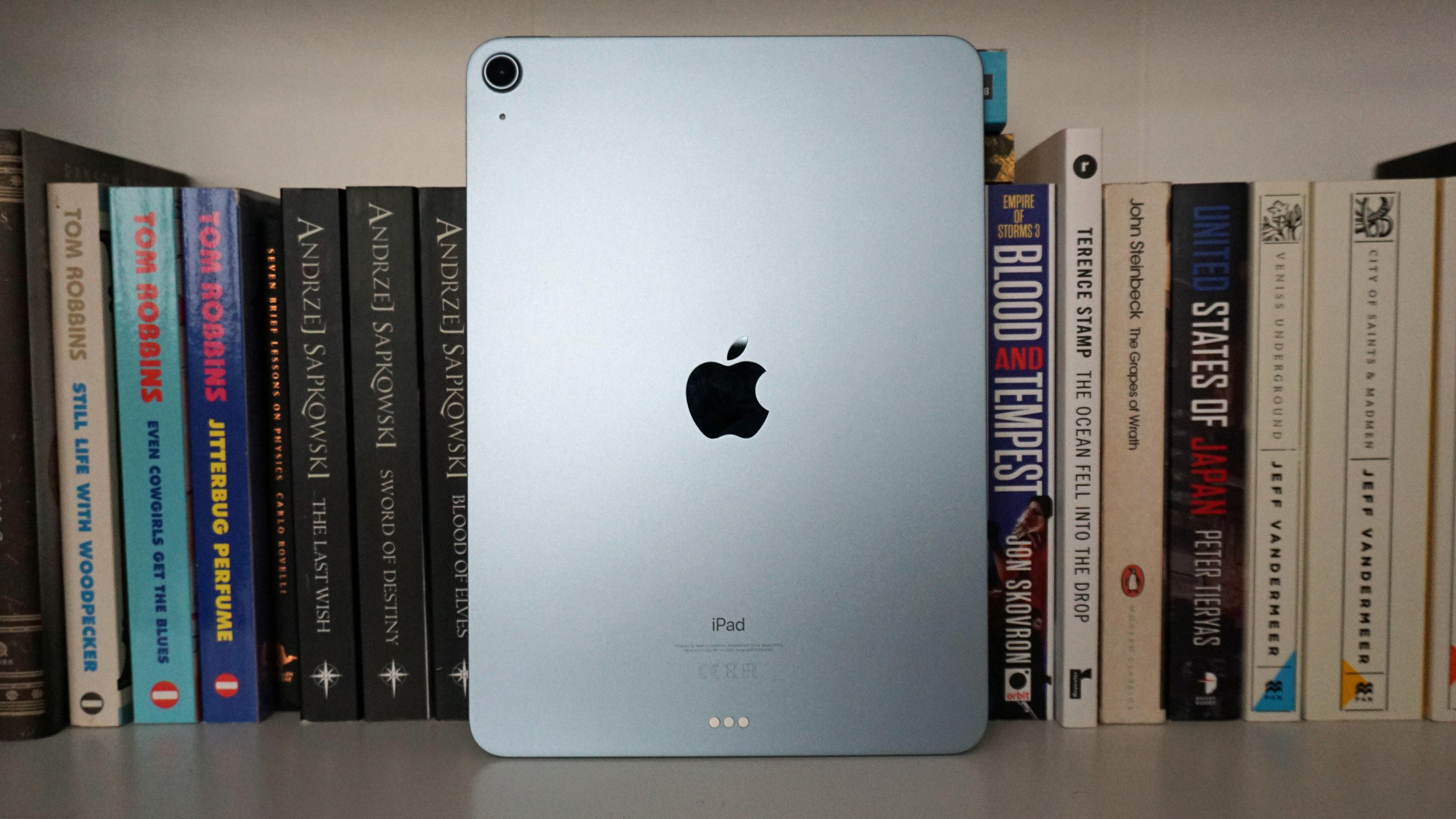
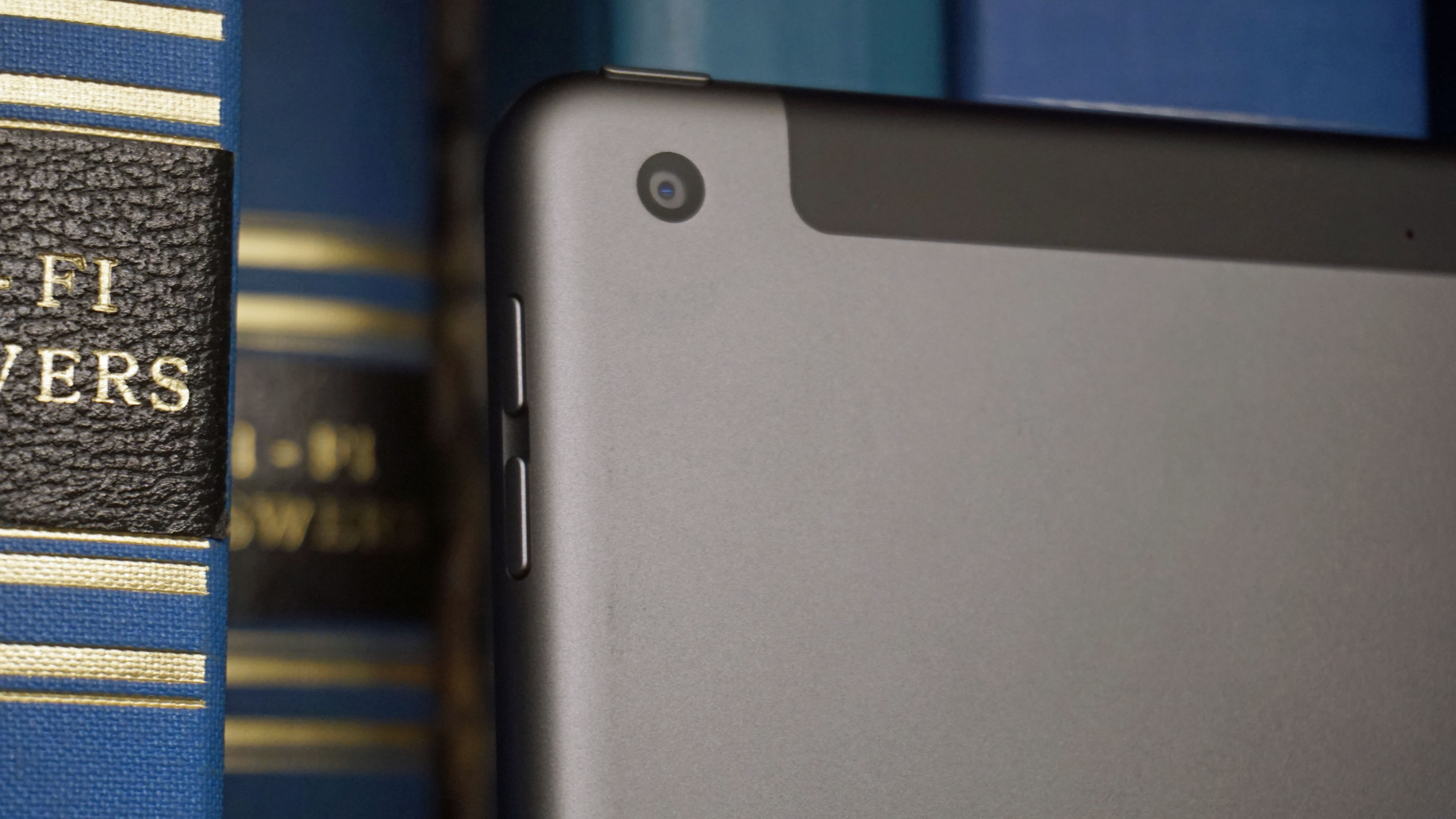
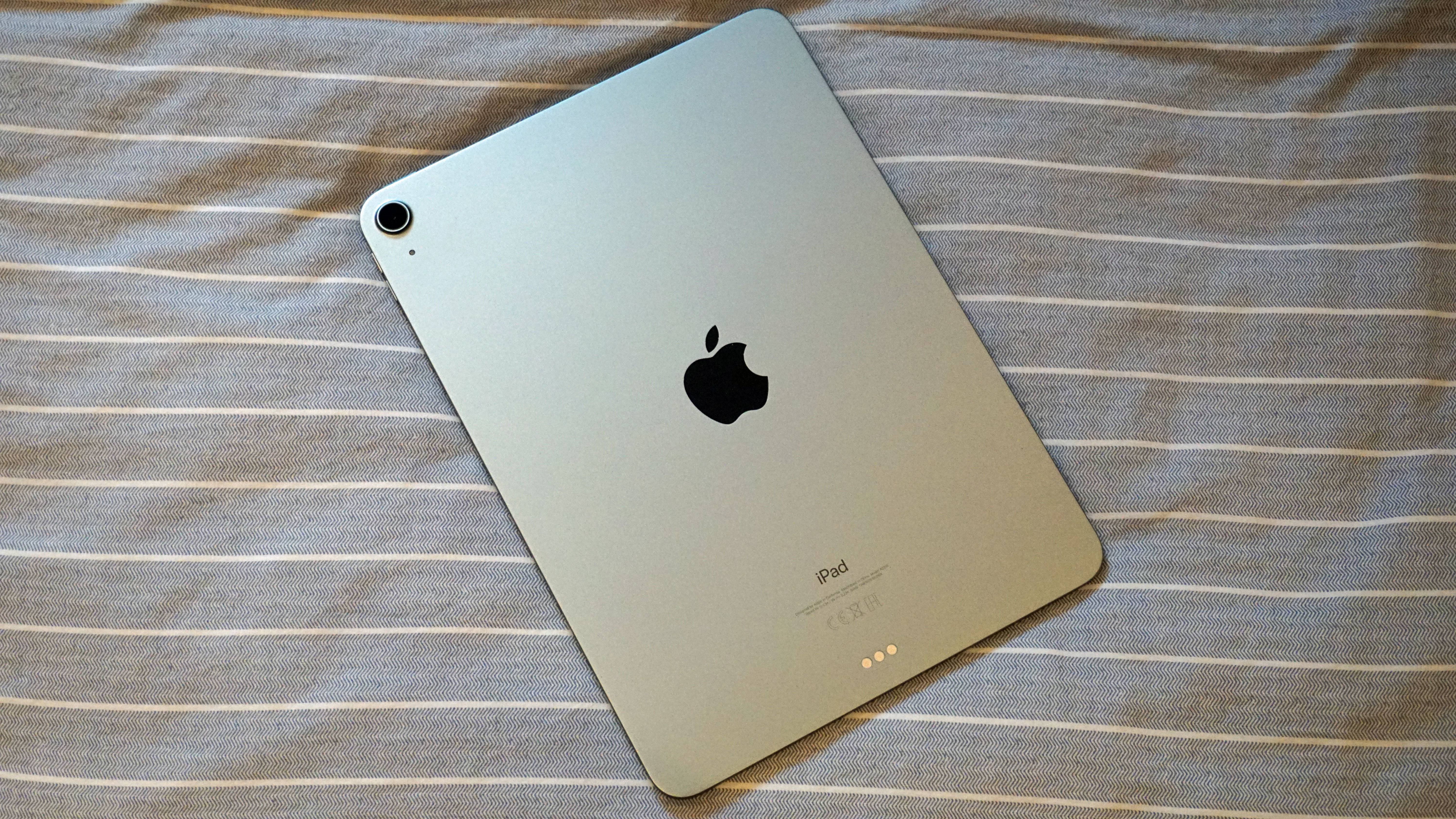
Both the iPad (2020) and iPad Air 4 look quite similar on the surface. They have similar heights and widths and they both have rather thick bezels around the screen. Where things differ is that the iPad Air 4 is much lighter at 458 grams compared to the iPad (2020)'s 490 grams and it's also much thinner at 6.1mm compared to the iPad (2020)'s 7.5mm depth. 

Other than that though, the height and width are near identical with the iPad (2020)'s 250.6mm x 174.1mm x 7.5mm measurements and the iPad Air 4's 247.6mm x 178.5mm x 6.1mm. 

That's all remarkably similar really given the iPad (2020) offers a 10.2-inch display compared to the iPad Air 4's 10.9-inch screen but more on that in a bit.

The iPad (2020)'s top bezel houses its selfie camera while the home button on the bottom offers a built-in Touch ID sensor. In contrast, the iPad Air 4's top button works as the Touch ID sensor.

There are two speakers for the iPad (2020) compared to the iPad Air 4's four. They're functional if nothing impressive with the iPad Air 4 slightly better thanks to quantity and the fact its speakers are spread across the top and bottom of the device. 

The iPad Air 4 also has the edge with connections thanks to offering USB-C compared to the iPad (2020)'s increasingly dated feeling Lightning connection. Looking to hook up other devices? The iPad (2020) offers support for the Apple Pencil (1st generation) and Smart Keyboard while the iPad Air 4 extends that to the Apple Pencil (2nd generation), Magic Keyboard, and Smart Keyboard Folio - much like the far more expensive iPad Pro. 

Color choice wise, the iPad Air 4 wins. It's possible to buy in Space Gray, Silver, Rose Gold, Green, or Sky Blue, while the iPad (2020) is only available in more standard Apple colors - Space Gray, Silver, and Gold. 

iPad (2020) vs iPad Air 4 display 

Image 1 of 2

iPad 2020

(Image credit: Future)
Image 2 of 2

iPad Air 4 (2020)

(Image credit: TechRadar)

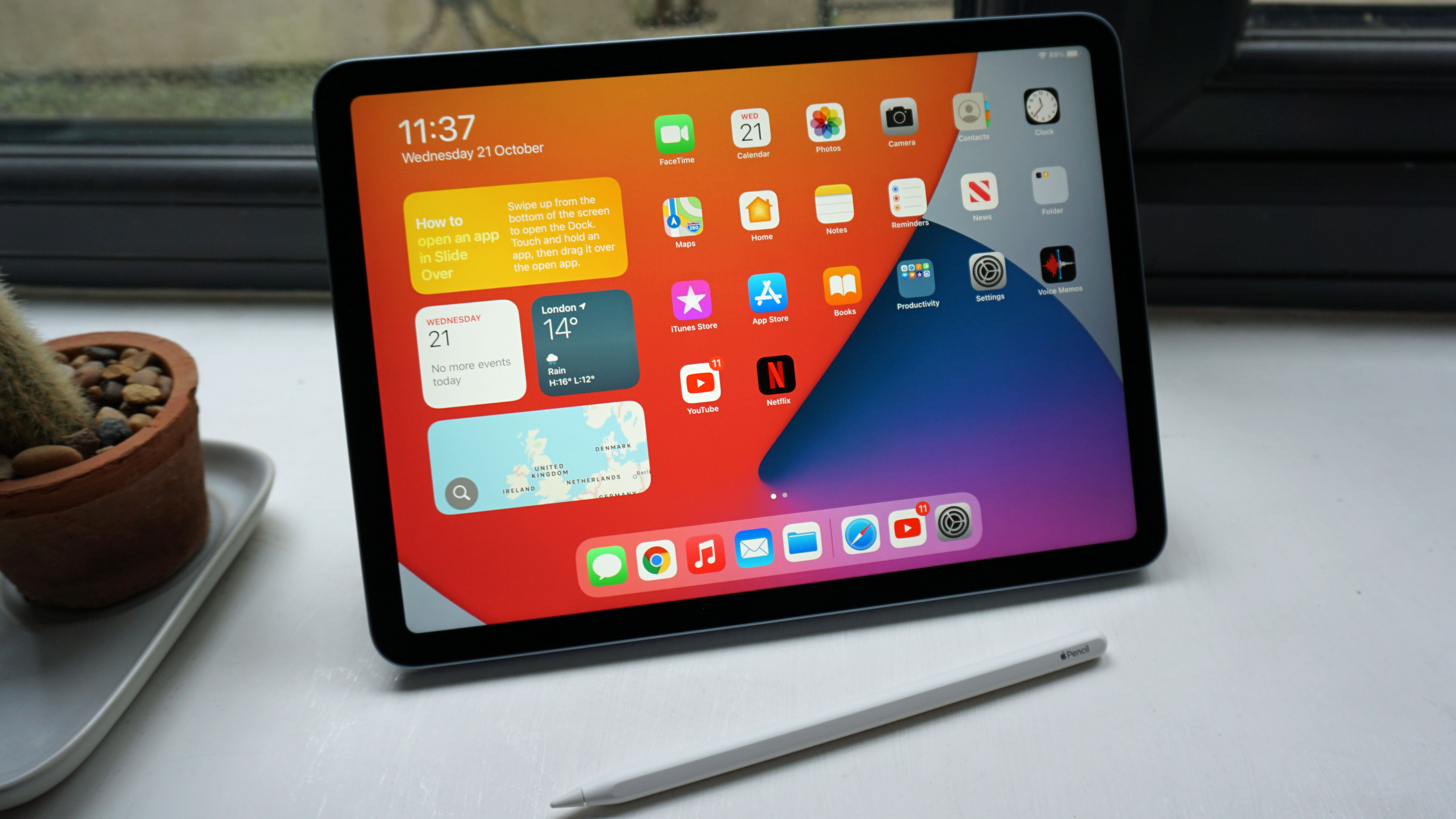
We'll cut to the chase - the iPad Air 4 has the far superior screen. It has a 10.9-inch display that uses Apple's Liquid Retina display technology plus it uses True Tone. In comparison, the iPad (2020 is a standard 10.2-inch Retina display. 

That translates to a resolution of 2360 x 1640 for the iPad Air 4 compared to 2160 x 1620 for the iPad (2020). Both offer the same ppi of 264 as well as the same max brightness of 500 nits.

The iPad Air 4 screen is also rather well made elsewhere too with a fully laminated display, anti-reflective coating and wide color display (P3). That all brings it more in line with the iPad Pro although obviously, it's not quite as potent. 

Both tablets also only offer 60Hz refresh rates with 120Hz refresh rates reserved for the top-end iPad Pro range, but at this price, that's a fair concession to make and you won't really miss the extra silky smooth browsing unless you've got used to it elsewhere. 

iPad (2020) vs iPad Air 4 camera and battery 

iPad 2020

(Image credit: Future)

It's unlikely you're buying a tablet for its camera quality but it's nice to know that both the iPad (2020) and iPad Air 4 can take a few decent snaps when needed.

The iPad (2020) has an 8MP wide camera with Æ’/2.4 aperture while the iPad Air 4 offers a 12MP wide camera and Æ’/1.8 aperture so it's clear which one is the better camera lens. Both offer a digital zoom up to 5x while the iPad (2020) offers HDR for photos and the iPad Air 4 provides Smart HDR 3 for photos, like the iPad Pro. 

When it comes to video recording, the iPad Air 4 clearly has the edge thanks to more powerful hardware. It can achieve 4K video recording at 24 fps, 25 fps, 30 fps or 60 fps, while the iPad (2020) sticks solely to 1080p video recording at 30 fps. There's also an advantage for the iPad Air 4 with slo-mo video too, able to support 1080p at 120 fps or 240 fps while the iPad (2020) sticks to 720p.

Selfie/video call camera wise, the iPad (2020) has the very basic 1.2MP FaceTime HD camera while the iPad Air 4 bumps that up a bit to 7MP. Neither is amazing, of course, but it's a subtle but key difference for those times you want to look good when taking a call. Don't count on complex features like the iPad Pro offers, however, with no sign of Portrait Mode on the front camera. 

Battery life is considered to be identical on both tablets. Up to 10 hours of browsing or watching video, with up to 9 hours if you're relying on the cellular connection. Respectable enough, then. 

iPad (2020) vs iPad Air 4 specs and features 

iPad Air 4

(Image credit: TechRadar)

As expected, it's the hardware underneath the hood that separates the pricier iPad Air 4 from the iPad (2020). The iPad (2020) uses the older A12 Bionic chip while the iPad Air 4 has the A14 Bionic chip. Neither will compete with the far more expensive M1 chip we've seen in the iPad Pro, but it's clear the iPad Air 4 has the edge by quite a distance.

Ultimately though, that all depends on how you plan on using your tablet. The iPad (2020) is still quick enough for opening apps and it's only really multitasking where the difference is noticeable so it all depends on how you use the tablet. For occasional, casual use, the iPad (2020) is more than good enough but the iPad Air 4 has the edge if you plan on using it for the odd bout of video editing or anything a bit intense (although, obviously, if that's a regular habit then you should consider an iPad Pro instead of either of these).

The lowest storage options for either the iPad (2020) or iPad Air 4 are honestly too low. The iPad (2020) starts at a fairly pathetic 32GB while the iPad Air 4 begins at 64GB. You really need to invest in the larger storage options - 128GB or 256GB respectively - as there's no way to expand storage after you've bought it and you won't want to rely solely on cloud storage for your files. 

Both tablets run the latest iPadOS and apps are generally very well optimized. The OS continues to be arguably the best OS out there for any tablet and is generally a dream to use, although there is a slight learning curve if you're more used to Android. 

The iPad (2020) offers a Lightning connection while the iPad Air 4 provides a USB-C port. As mentioned previously, accessory compatibility is a little better for the iPad Air 4 as it offers support for the latest Apple Pencil, Smart Keyboard Folio, and Magic Keyboard. 

Takeaway 

Both the iPad (2020) and iPad Air 4 are respectable tablets worth your time but the difference comes down to how you plan on using them.

They both offer fairly similar designs with some minor tweaks, but the iPad Air 4 offers the better screen and more powerful hardware.

That hardware makes a difference if you plan on using your iPad regularly. For occasional browsing and the odd game, the iPad (2020) is perfectly good enough and spending a fair bit more on the faster iPad Air 4 would be overkill. However, if you're considering doing a little video editing on the move, want to use the latest Apple Pencil, or simply like to know you have the fastest device for your money then the iPad Air 4 is a far more tempting idea. 

If you simply need a 'cheap' iPad then the iPad (2020) is fine but if you can stretch that bit further, the iPad Air 4 will last you a longer time. It all comes down to how far you can future proof and also how old your existing tablet is. 

Neither is the ultimate iPad experience (hello, iPad Pro) but the iPad (2020) is the best budget option right now while the iPad Air 4 is a happy middle ground for everyone else. 


from TechRadar - All the latest technology news https://ift.tt/2VpVH7H
Share:

Why the Garmin Instinct Solar is still my all-time favorite running watch

One year ago, Garmin released the Instinct Solar – a new version the chunky Instinct multi-sports watch with added Power Glass to stretch out its battery life. And after all that time, and all the watches I've tested, it's still my favorite.

I’m fortunate enough to be able to test a wide range of running watches and fitness trackers on TechRadar – from super-affordable entry-level activity bands through to top-end smartwatches equipped with advanced training tools. I always return review samples after testing, but last year I tried a watch that I missed so much, I bought my own shortly afterwards. It was the humble, chunky Instinct Solar.

Here comes the sun

Garmin has introduced solar versions of its high-end Fenix 6, Enduro, Quatix and Tactix lines in recent months, along with the Instinct. Each is topped with Garmin’s Power Glass, which harvests energy from the sun to keep the watch’s battery topped up and extend its life between charges. You’ll still need to charge your watch the regular way first, but after that it’ll keep running for much longer than the regular Instinct with just a couple of hours of sunlight exposure each day.

The Instinct is the most frugal power-wise, and in theory, with the power-saving settings tweaked just so, it could keep going indefinitely, but in actual use you’re still looking at battery life measured in weeks rather than days.

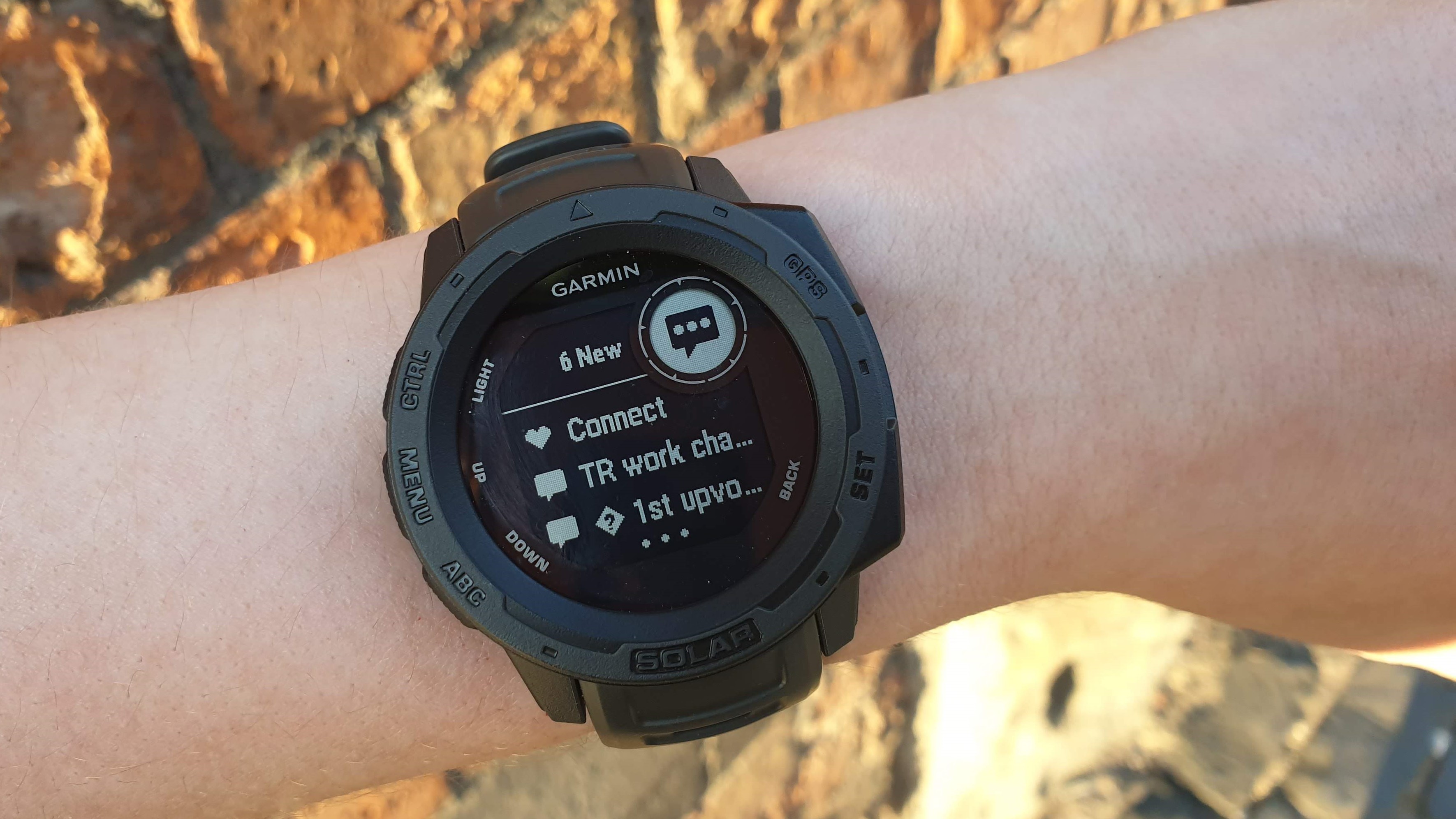
Woman's wrist with Garmin Instinct Solar showing app notifications

The Garmin Instinct Solar has a chunky design, but won't overwhelm smaller wrists (Image credit: Future)

Daylight from a window will do just fine, but the Instinct Solar is built for getting outdoors and having fun. It’s not the most stylish watch Garmin makes by quite a large margin – in fact it’s fairly ugly compared to the likes of the Venu 2 or Fenix 6 – but it’s seriously rugged. I’ve taken it running, cycling, hiking, paddleboarding and kayaking, and despite taking some pretty hard knocks along the way, it looks and works just like the day I unpacked it.

In fact, it’s tougher than me – when I fell and broke my ankle in the Peak District, it came away completely unscathed. Its stress monitoring app later informed me that I’d had ‘many stressful moments’ and should probably take it easier the following day.

Grayscale is A-OK

Much like its case, the Instinct Solar's display isn’t the most attractive around (it’s a monochrome memory-in-pixel affair that helps conserve battery life) but despite lacking the glorious color and high resolution of Garmin watches like the Venu 2 or top-tier Forerunners, it’s brilliant in its own way.

This is due to the dual-screen design, with a small secondary display just large enough to show a number or an icon. You can pick which stat is shown here when the watch is idle (with options including date, step count and temperature) but it really comes into its own when you’re browsing the Instinct Solar’s menus.

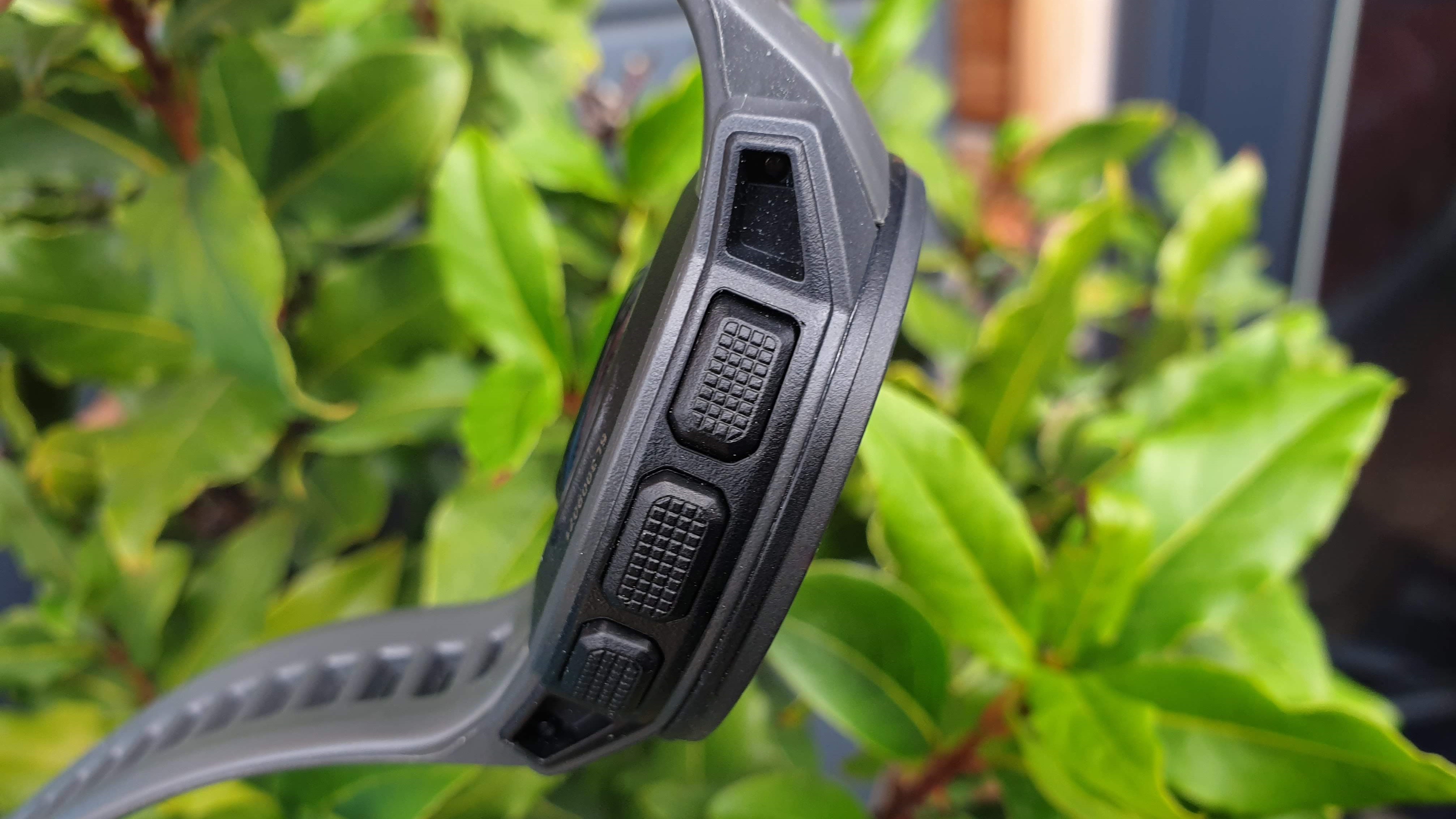
Side view of the Garmin Instinct Solar showing three control buttons

The Instinct Solar has no touchscreen; instead it's operated with a series of buttons that can be used with wet hands or while wearing gloves (Image credit: Future)

Like many rugged watches (the Coros Apex is another example), the Garmin Instinct Solar eschews a touchscreen in favor of physical controls that can be operated with wet hands or while wearing gloves. The upper right button performs dozens of different functions, which could be a real headache to remember, but the little secondary display always shows exactly what it will do in the current context.

It’s one of the watch’s biggest strengths, though it could also have been of its greatest weaknesses, as it means the Instinct Solar doesn’t support additional watch faces and apps downloaded through Garmin Connect IQ. Thankfully, it has all the essentials I need in a running watch already – including great navigation tools.

Never walk alone

As you'd expect from a Garmin watch, GPS is super accurate. It might have become synonymous with sports watches, but this is a company that first made its name in marine navigation systems, and whose first customer was the US Navy. 

That particular tool has come into its own when I'm leading club runs. Following the same paths every week would make training seriously dull, so it's important for me to come up with new routes to spice things up. That said, there are few things more embarrassing than trying to memorize a route ahead of time, only to miss a turning and have to sheepishly check my phone to see where I went wrong.

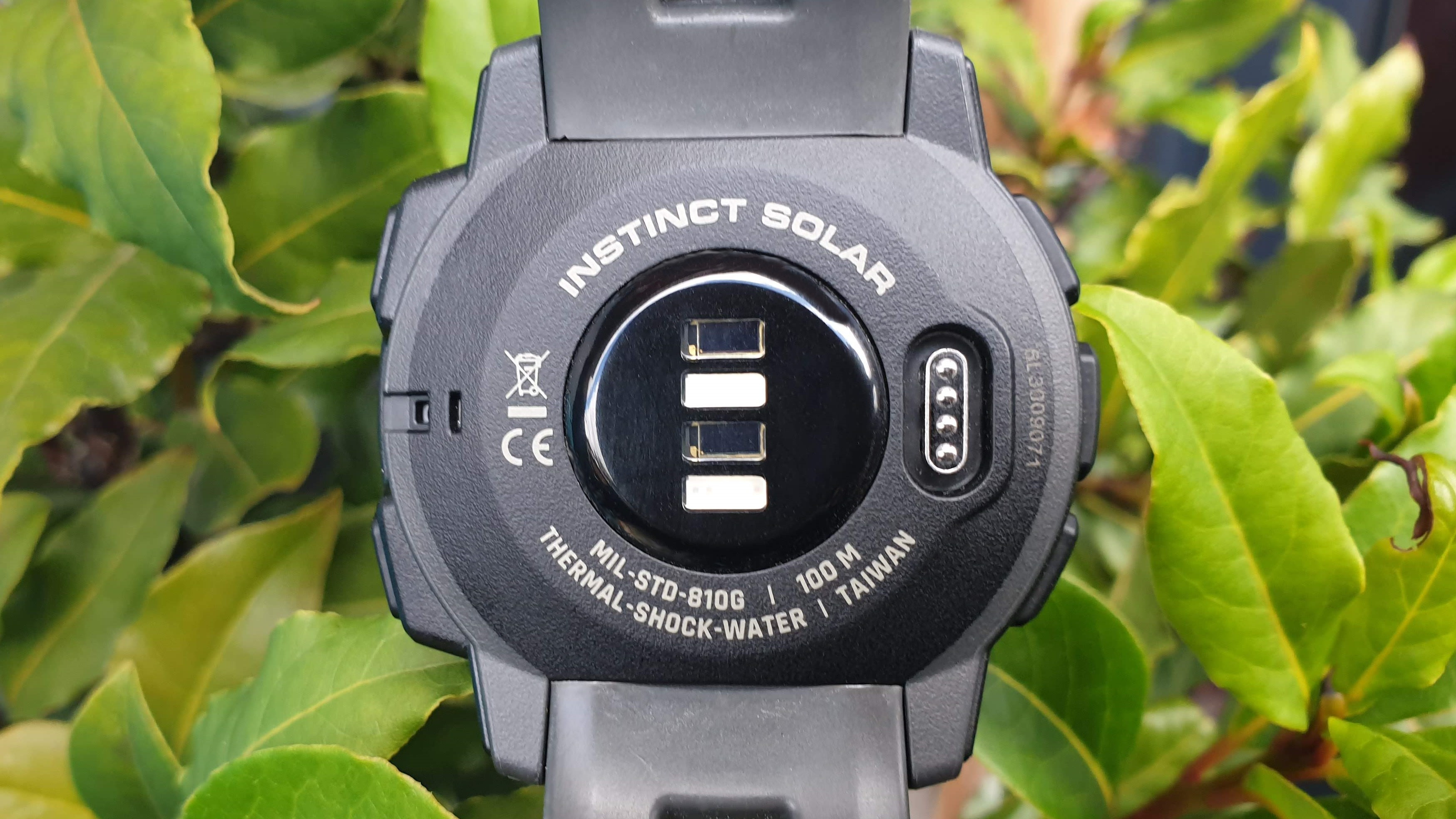
Close-up of Garmin Instinct Solar showing rear sensors and details of shock and water resistance

The Instinct Solar is super tough, and mine has survived some serious knocks without a scratch (Image credit: Future)

With the Instinct Solar, I can upload a route ahead of time and follow it with breadcrumb trails. The watch doesn't give super detailed maps, but that's fine; the dual screen display makes it clear which direction to go, and if something were to go wrong, I could always use the TracBac feature to get the group back to the meeting point. This is also a handy tool for timed out-and-back runs.

It's far from flashy, but the Instinct Solar still shines. If you're looking for a mid-range running watch then I highly recommend adding it to your shortlist.


from TechRadar - All the latest technology news https://ift.tt/2VrzANS
Share:

Everyone takes time out, so running watches need injury recovery modes

If you've been keeping up with my columns about my journey to digitally run Route 66 – firstly, thank you sincerely for that! – then you might also have been following the figures I share about the distance I have achieved. If that's the case, then you may well have noticed that, since my last column, I've barely traveled anywhere.

Where am I?

Tomrun

(Image credit: End to end)

Column number: 11
Date written: 30/07/21
Days in: 151
Current location: Joplin, MO
Distance traveled: 608.45 miles
Distance left:  1669.55 miles
Current tracker: Polar Vantage M2

As a result of two foot injuries, I've had to take time out from my usual schedule of running and walking, which has meant I've only managed a pitiful 16.37 miles in two weeks. This is way short of the weekly minimum average of 21.91 miles per week required to complete this challenge – and far short of my previous average of just over 30 miles journeyed weekly.

Luckily, I was way ahead of schedule. As such, a couple of weeks off is unlikely to ruin my chances of completing the challenge of traveling Route 66's 2,278 miles in the required two years. 

In fact, just as I'd adjusted to the thought of putting my feet up for several weeks while I recovered, eating homemade cookies and watching some movies, I noticed a single word on my running watch that ruined all that.

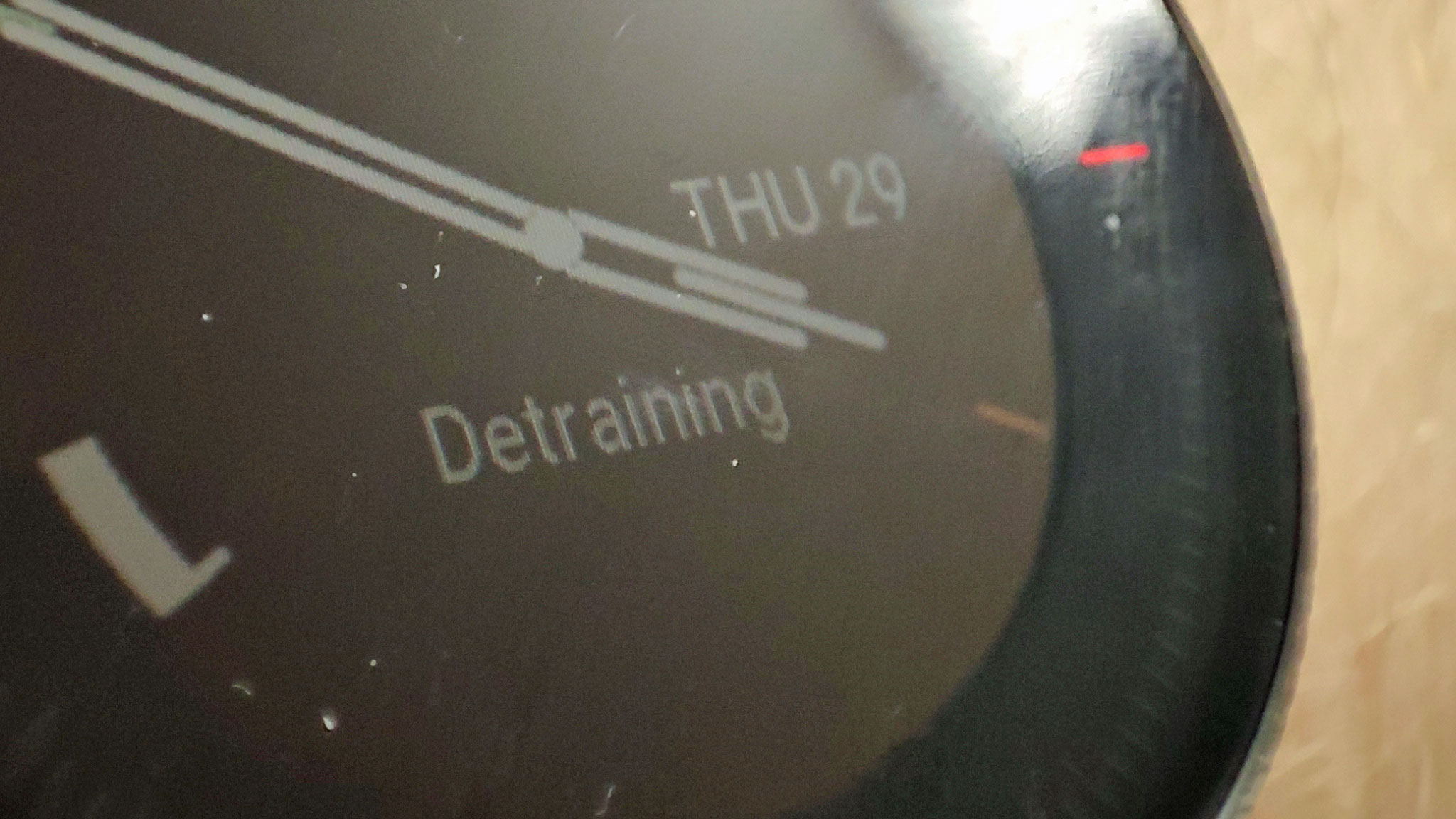
Detraining

I've been using the Polar Vantage M2 to track the distance I've been covering, and overall I've been pretty impressed by it. Like many running watches and smartwatches, it has a feature that charts your changing fitness over time, to give you a greater sense of accomplishment or context.

However, when I looked at the watch a few days after my injury, it had the word 'Detraining' plastered along the main watch face. Yep, the device was shaming me for my lack of exercise. 

Polar Vantage M2

(Image credit: Future)

You can change the Vantage M2 watch face, but each option is a different fitness metric, and each is critical. 'This week 0h 54m' (of exercising) one said; 'Last training session a week ago' another told me. In fact, most of the watch faces were giving me bad news about the state of my fitness (and others gave me negative forecasts about the state of the weather).

In other words, my watch wasn't exactly showing any sympathy about my inability to exercise.

The issue isn't exclusive to the Polar Vantage M2, of course. A co-worker shared a screenshot from the Adidas Running App they use, which awarded them a big red cross on their workout record when they were unable to work out.

Pressure to run

Obviously, it isn't fun to view these wrist-mounted reminders that you're not getting the exercise you need to. They were compounding the anxiety I was already feeling about letting my body down. But the issues run deeper than that.

Following a few days of 'Detraining', I decided to show my watch that it isn't the boss of me, and went on a walk. It wasn't a particularly long one – just a couple of kilometers – but lengthy enough to justify tracking it with the device. I didn't want to be 'Detraining' anymore.

As you can imagine, this was an awful idea – it set me back on my road to recovery by quite some way. 

I've written before about how the language of fitness trackers can affect performance, so those of you who read that column will know that I'm not crazy about being pressured by my watch. I've also covered how it's very easy to get turned away from using a wearable for workouts, too.

By reminding me of my fitness failures, the watch had shamed – or pressured – me into working out before my body was ready to do so. Other folk in this position may have reacted in the same way – or maybe I'm just more easily led by peer pressure.

So what's the solution? Because you can't just remove health information from running – that's basically the point of them. In my opinion it's as easy as introducing  injury modes.

Man running off-road, checking his running watch

(Image credit: Maridav / Shutterstock)

Time's up for time out

Smartwatches and fitness trackers provide all manner of metrics to monitor your health and fitness. They can keep tabs on your sleep and circadian rhythm, menstrual cycle, heart rate, stress, food intake and calories, sedentary time and, of course, overall fitness (depending on your device, of course – not all watches do everything).

Injury time, then, would be a natural addition to the suite. Perhaps you could tap in information about the type of injury you had sustained, so that the device would  calm down on the workout reminders for a little while.

Not only that, but the watch could advise you on recommended behaviors during the injury time – reminding you to rest up, if necessary, and to get enough sleep, or let you know when you'd be able to exercise again. The device could even help you build up your strength after the fact, by recommending certain courses and tasks that'd be suitable depending on your injury.

Obviously, these are all just pie-in-the-sky ideas, which have come to mind from as a result of my current troubles. 

But with running watches and smartwatches increasingly part of many people's day-to-day health routines, not just a part of their actual workouts, this type of mode would totally make sense.

A workout injury mode wouldn't stop me from getting hurt in the first place, nor impact my pace on the Route 66 challenge (not that the latter matters too much, since I'm 150 miles ahead of where I need to be – it's my marathon training that's been most affected). However, it would certainly stop the constant shame I've been receiving from my gadget – and make the road to recovery (and long-distance running) that little bit easier.


from TechRadar - All the latest technology news https://ift.tt/3yi1Cds
Share:

Samsung Galaxy Watch 4 Classic shown off again in leaked live images

Ahead of the official unveiling that we're expecting to get on August 11, we're starting to get a complete picture of the Samsung Galaxy Watch 4 Classic – helped by some live images of the smartwatch that have just leaked out on the web.

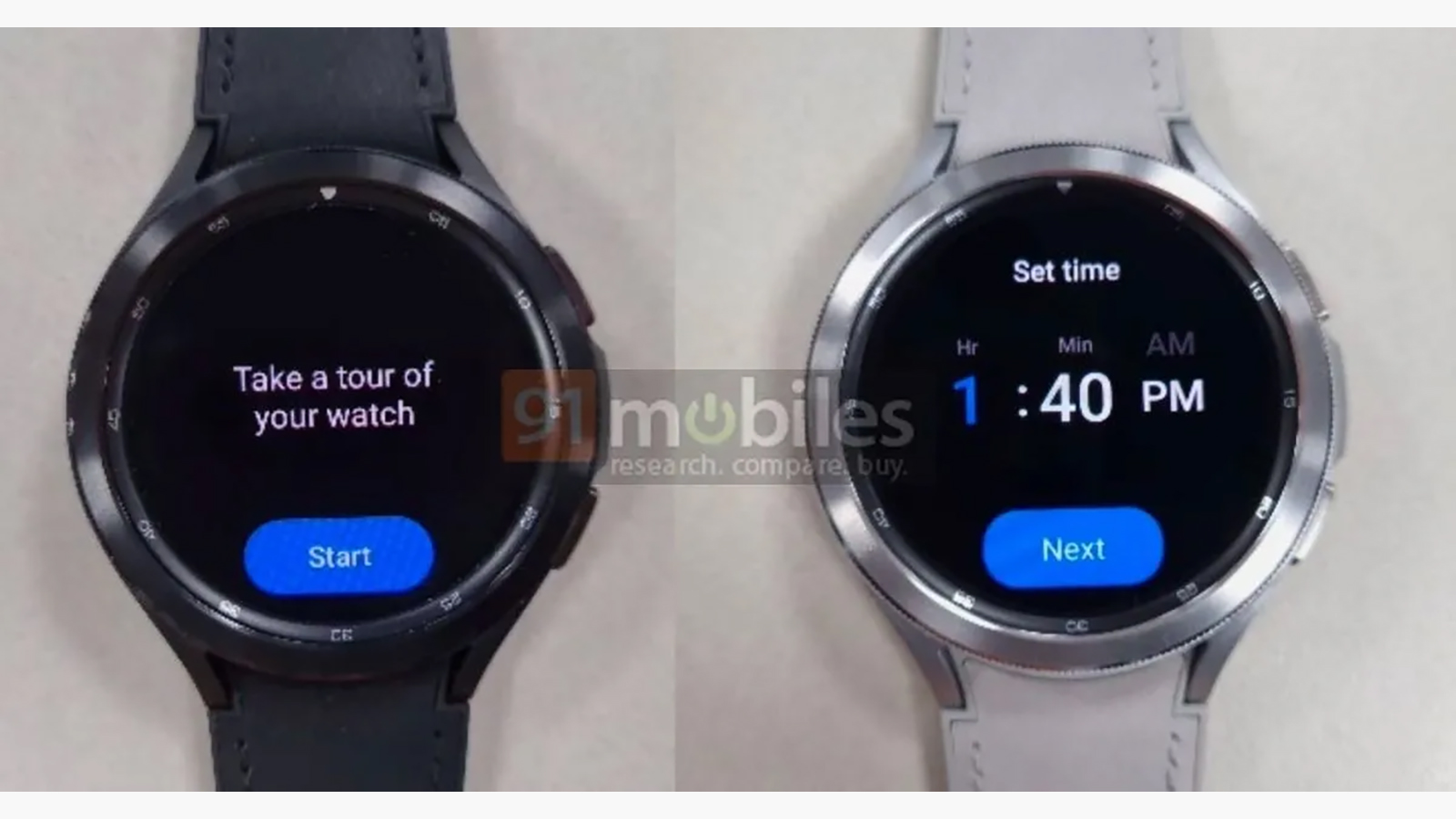
The pictures come courtesy of 91mobiles, and while we can't confirm that they're the genuine article, they do match up with other images we've seen of the Galaxy Watch 4 Classic (which we previously thought was just the Galaxy Watch 4).

In terms of pictures, previous leaks of this particular wearable have all been renderings, so it makes a change to see the actual device in the wild. You can see both black and silver casings, and black and white strap options in the new photo. There are two physical buttons on the right as you look at the watch.

Samsung Galaxy Watch 4 Classic leak

(Image credit: 91mobiles)

The story so far

We wouldn't blame you if you were a little confused about which watch we're looking at here. It's the successor to the Samsung Galaxy Watch 3, which as mentioned above we originally thought was going to be called the plain old Galaxy Watch 4.

However that title is now apparently being bestowed on the watch previously known as the Galaxy Watch Active 4, according to most rumors and leaks. That timepiece is the follow-up to the Galaxy Watch Active 2 – there was no Active 3, presumably so Samsung could get its smartwatches running on the same numbering system.

So that leaves us with the Galaxy Watch 4 Classic (leaked above) and the Galaxy Watch 4 to be unveiled on August 11. On the date it looks as though we're also going to get treated to an unveiling of the Samsung Galaxy Fold 3 and the Samsung Galaxy Flip 3.


Analysis: a big moment for Samsung, and Google

Samsung Galaxy Watch Active 2

The Samsung Galaxy Watch Active 2. (Image credit: Future)

Despite the best efforts of the likes of Ticwatch and Fossil, Google's Wear OS continues to lag a long way behind the Apple Watch in terms of both sales and attention – but this year offers the chance of a reboot.

Not only is Google pushing out a major upgrade to its smartwatch software in the coming months, in partnership with Samsung, but the Galaxy Watch series is making the switch back to Wear OS too (and bringing some Tizen treats with it).

By combining forces, Samsung and Google will hope they can finally give Android users products that can seriously compete with the Apple Watch, just as the best Android phones offer strong competition for the iPhone.

For that to happen, both the hardware and the software needs to be right – and that's what we're hoping for with the Galaxy Watch 4 Classic and the Galaxy Watch 4. We don't have long to wait to find out.


from TechRadar - All the latest technology news https://ift.tt/3C6ikyA
Share:

Google to End Support for Gmail, YouTube, Drive Account Sign-in on Old Android Phones Soon

Old Android phone users will lose Google app sign-in support from next month. These users will get a “username or password error” whenever they try to sign-in to any Google apps loaded on the phone. These include YouTube, Gmail, Google Drive, and other Google services.

from Gadgets 360 https://ift.tt/2V01DEF
Share:

MicroStrategy CEO Michael Saylor Bullish on Bitcoin Despite Paper Loss

Bitcoin's largest corporate investor MicroStrategy has decided to continue to pour money into its “digital asset strategy” despite taking a loss. The US-based business intelligence software developer said the current value of its Bitcoin holdings was $2.051 billion (roughly Rs. 15,255 crores), that was a cumulative impairment loss of $689.60 million (roughly Rs. 5...

from Gadgets 360 https://ift.tt/3fgBY1d
Share:

Categories

Rove Reviews Youtube Channel

  1. Subscribe to our youtube channel
  2. Like our videos and share them too.
  3. Our youtube channel name Rove reviews.

WITNUX

This website is made by Witnux LLC. This website provides you with all the news feeds related to technology from large tech media industries like GSM Arena, NDTV, Gadgets 360, Firstpost and many other such ates altogether at technical depicts so that you need not go to several sites to view their post provide you advantantage of time.

From the developer
Tanzeel Sarwar

OUR OTHER NETWORKS

OUR YOUTUBE CHANNEL

ROVE REVIEWS PLEASE SUBSCRIBE

OUR FACEBOOK PAGE

The Rove Reviews

Support

Trying our best to provide you the best DONATE or SUPPORTour site Contact me with details how are you gonna help us