GET THE LATEST UPDATES RELATED TO TECHNOLOGY FROM THE FAMOUS WEB AND MEDIA NETWORKS LIKE NDTV, GADGET 360, GSM ARENA TOGETHER AT THIS SITE TECHNICAL DEPICTS CREATED BY ROVE REVIEWS.
When You dont have any way out the you are misleaden Thousands of students want to learn programming theybwant to make it their passion but the cannot utilise it You have resources but you are on the world of outputs so make use of what ever you have.
At one point or the other, everyone has thought of installing a security camera inside their houses. What puts off many people is the cost associated with setting up a bunch of CCTV cameras and then keeping all the footage that they record.
Well, you don’t need to buy an expensive home surveillance system and a bunch of CCTV cameras to keep your house secure. Thanks to a ton of free apps on both, the App Store and the Google PlayStore, you can actually use your old phones as a makeshift CCTV camera, and install them yourself using a few simple, DIY tricks.
Step 1: Choose A Security Camera App & Install It.
There are a ton of options to choose from, but ideally, you should go for something that supports cross-platform functionality, has features like local and cloud streaming, recording and storing footage locally or over the cloud, and can detect motion and send alerts.
We chose to go with “Alfred DIY CCTV Home Camera” because it has over 500,000 reviews, has over 1 Crore downloads and is highly rated. Also, setting up the phone with Alfred is super easy.
Download the app on both the devices, the phone you intend to use as a camera, and the phone that you carry with you.
On your daily driver, complete the introduction and tap “Start.” Then, select “Viewer” and tap “Next.”
Here, you’ll need to sign in. We suggest you sign in using your Google Account, as it makes things easier.
On the old phone that is supposed to be the CCTV camera, repeat the entire process. But, instead of tapping the “Viewer” option, tap on “Camera.” Ensure that you’re logged in using the same Google account.
You’re all done now. You can play around with the settings to turn on motion sensors, audio recording, and whether to send you a notification if something suspicious happens. No matter what app you use, the setup process is similar and can be dealt with in a jiffy.
Step 2: Positioning Your Camera
Now that you have your security stream running, you’ll have to set the camera up, physically, at a place that gives you the best vantage point. Choose a shelf that is placed at a height, which can show you the view of most of your room. Ensure that the field of view includes the entrances to your room, and where you keep your valuables. Keep on checking your new device to see just what view are you getting exactly. Ensure that the camera doesn’t stand out Also, see to it that the phone is securely connected to the WiFi, and has a strong connection.
Step 3: Mounting Your Device & Powering It
There are literally a ton of ways you can go about this. You can use one of those suction cup phone mounts that are used in cars, or, you can use mini-tripods that are designed for phones.
To power your device, ensure that you have a long charging cable for your phone. Ideally, it would be best if you use something that has a removable battery. That way, you can power the device using just the power cable. If you don’t have a phone with a removable battery, you will have to switch the device and power the device off, whenever it is not being used.
You can also use a shorter cable, and power your device using a power bank. Make sure that it has at least 3-4 times as much as the rated capacity as your phone’s battery, as streaming footage is a power-intensive activity.
That’s it. That’s how you set up a very effective security system using a few DIY tricks, under a tight budget. You can actually set up a number of different mobiles on the same WiFI network and account, and can get a pretty comprehensive coverage of your house.
from Firstpost Tech Latest News https://ift.tt/QjoWZNA
Older iPhones only get new iOS updates for a certain amount of time before Apple decides to put them out to sea, and a report has suggested which devices could sail out into the sunset when iOS 16 launches later this year.
This comes from a site called iDropNews, in a report written by a leaker called AppleLeaksPro with a limited track record. Take the information with a pinch of salt, due to the source, but what's stated does make sense given Apple's habits.
Apparently, iOS 16 won't be compatible with three iPhones that did receive iOS 15: those are the iPhone 6, iPhone 6S and the original iPhone SE. These devices are from 2014, 2015 and 2016 respectively so they are pretty old.
Apple drops support for older iPhones with new builds of iOS because the older hardware simply doesn't have the power or space for the newer operating system, and it's something that happens in the Android space too. That's not to say Apple will completely forget about these phones, as they still could see the odd security update, and they'll work just fine as they are - you don't really need the newest software.
This is just a leak for now, so it's not to say that these mobiles have definitely been sunsetted by Apple. But AppleLeaksPro's limited track record does seem fairly accurate.
That's the only real solid information provided by this leak - the leaker also backs up their past assertions about super-widgets, and points to a few tweaks like a redesigned music app and changes to Quick Actions so they work when the phone is locked.
Analysis: no need to buy a new iPhone
If you own one of the aforementioned iPhones, we're going to make the bold assumption that you're not a technophile - you'd probably have a newer phone if that were the case.
If that's true, this news might not affect you that much. If you don't care about having the flashiest and newest stuff, whether that's new gadgets or software, you don't really need iOS 16.
This new version of Apple's software isn't exactly likely to set to set the world on fire, as it's probably just going to bring a few tweaks and changes that might not affect your phone experience at all. If your device works fine right now, it'll continue to do so.
That's especially the case because Apple will likely continue to provide security updates to these devices for a while, which should stop bad actors from being able to leverage the age of your tech to infiltrate it better.
Sure, if you've got a six-plus-year-old phone, you might want to check out our list of the best iPhones at some point, because tech doesn't last forever. But if you're happy with your phone right now, you don't really need to update it.
But we digress – you're here to find out when Moon Knight episode 5 will air on Disney Plus. Below, we'll run you through the exact release date and time for the superhero show's next entry. We've catered for audiences across numerous world regions, too, so you shouldn't have to do much (if any) time zone conversions to work out ahead of Moon Knight's fifth episode landing on your TV or computer screen.
Additionally, we've provided you with a full release schedule for Moon Knight's six-episode run. We're in the show's final act now, so you won't need it for much longer, but it's still handy to have at this stage of proceedings.
So, what are you waiting for? Read on to find out when we'll be reunited with Marc, Steven, and the rest of the Moon Knight gang.
When is the Moon Knight episode 5 release date?
Don't fret, Marc – Moon Knight episode 5 is on its way.(Image credit: Marvel Studios/Disney Plus)
Moon Knight episode 5 will be released on Disney Plus on Wednesday, April 27 at 12 AM PT / 3 AM ET / 8 AM BST / 12:30 PM IST / 5PM AEST.
US audiences will need to stay up late (or get up really early) if they wish to watch Moon Knight episode 5 as soon as it's released. Meanwhile, UK Marvel fans might have enough time to catch it before they start work or head to school. You know, if you're working remotely or wish to see it before traveling to school.
Indian viewers should be able to sneak episode 5 in during their lunchbreak, while Australian and New Zealand fans will have to wait until the working day is done.
No matter where you'll be watching Moon Knight episode 5 in the world, you'll definitely want to take precautions before you stream it. There are bound to be numerous spoilers circulating on social media (and on various websites) post-release, and you wouldn't want any of them to be ruined ahead of time.
Our advice? Mute hashtags and words including #MoonKnight, #MoonKnightepisode5, and #MoonKnightspoilers on Twitter and company ahead of time. Alternatively, stay off social media until you've watched the show's fifth episode. That way, you'll be safe. Unlike Marc and Steven, who still need to escape that supposed psychiatric hospital that they were trapped in during episode 4.
How many Moon Knight episodes will be released? Full launch schedule
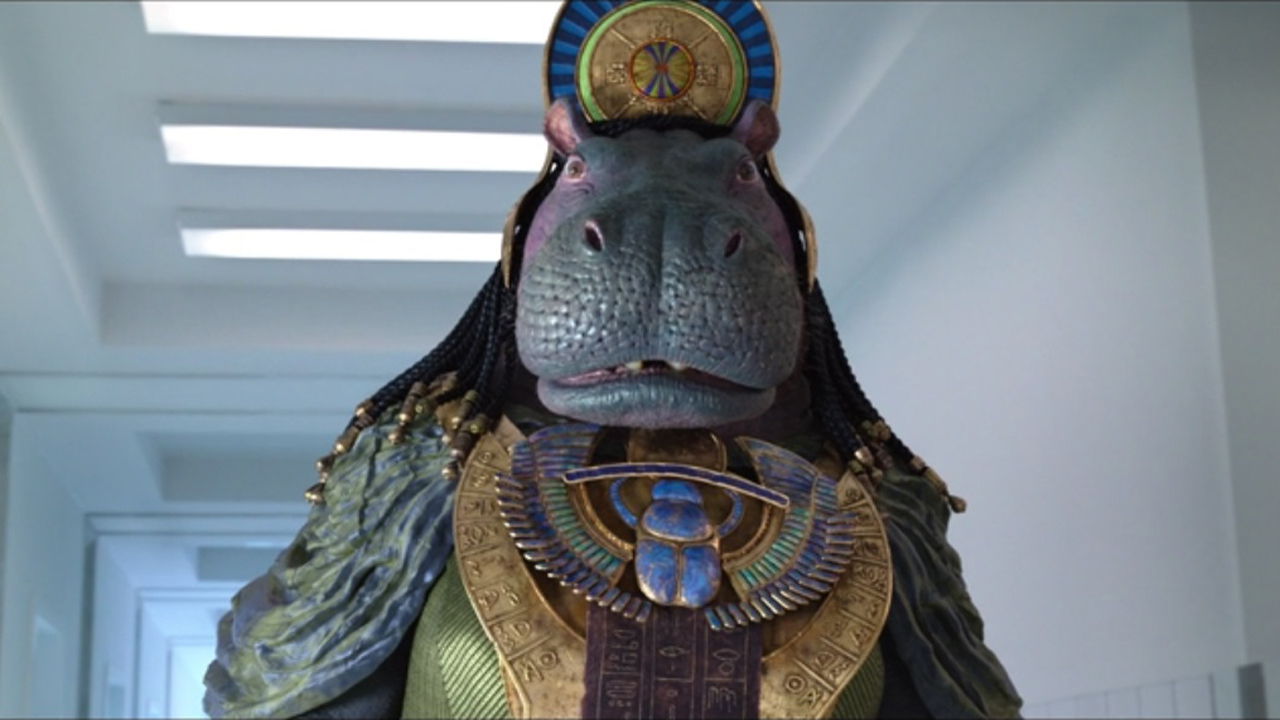
Tawaret may have a big role to play in Moon Knight episodes 5 and 6.(Image credit: Marvel Studios/Disney Plus)
Here's the full release schedule for Moon Knight on Disney Plus:
Moon Knight episode 1 – Wednesday, March 30 (available to stream now)
Moon Knight episode 2 – Wednesday, April 6 (available to stream now)
Moon Knight episode 3 – Wednesday, April 13 (available to stream now)
Moon Knight episode 4 – Wednesday, April 20 (available to stream now)
Moon Knight episode 5 – Wednesday, April 27
Moon Knight episode 6 – Wednesday, May 4
As we mentioned in our introduction, there aren't many Moon Knight episodes left – two, to be exact. That's surreal to say in itself, as it feels like the Disney Plus show has only just got going.
It's been a wild ride for Marc/Steven, Layla, Arthur and MCU fans., but all good things must come to an end eventually. Thankfully, we do have two episodes left to go, and we expect them to be intriguing and explosive affairs. Oh, and according to Marvel insider Amit Chaudhari, Moon Knight episode 5 has a 47-minute runtime. So there's still a fair chunk of Moon Knight left to catch.
When was the last time a tech purchase made you laugh with joy? For me it was the first time I listened to my favourite songs on a set of Apple AirPods Max headphones, which enabled me to hear things in those songs that I’d never heard before. Never mind hearing what the artist was playing: sometimes I reckon I can hear what the artist was thinking.
Wireless headphones have come an incredibly long way in a very short space of time. But their history goes back further than you might expect, and includes some incredible innovations.
1880s: the headphones that’d give you a headache
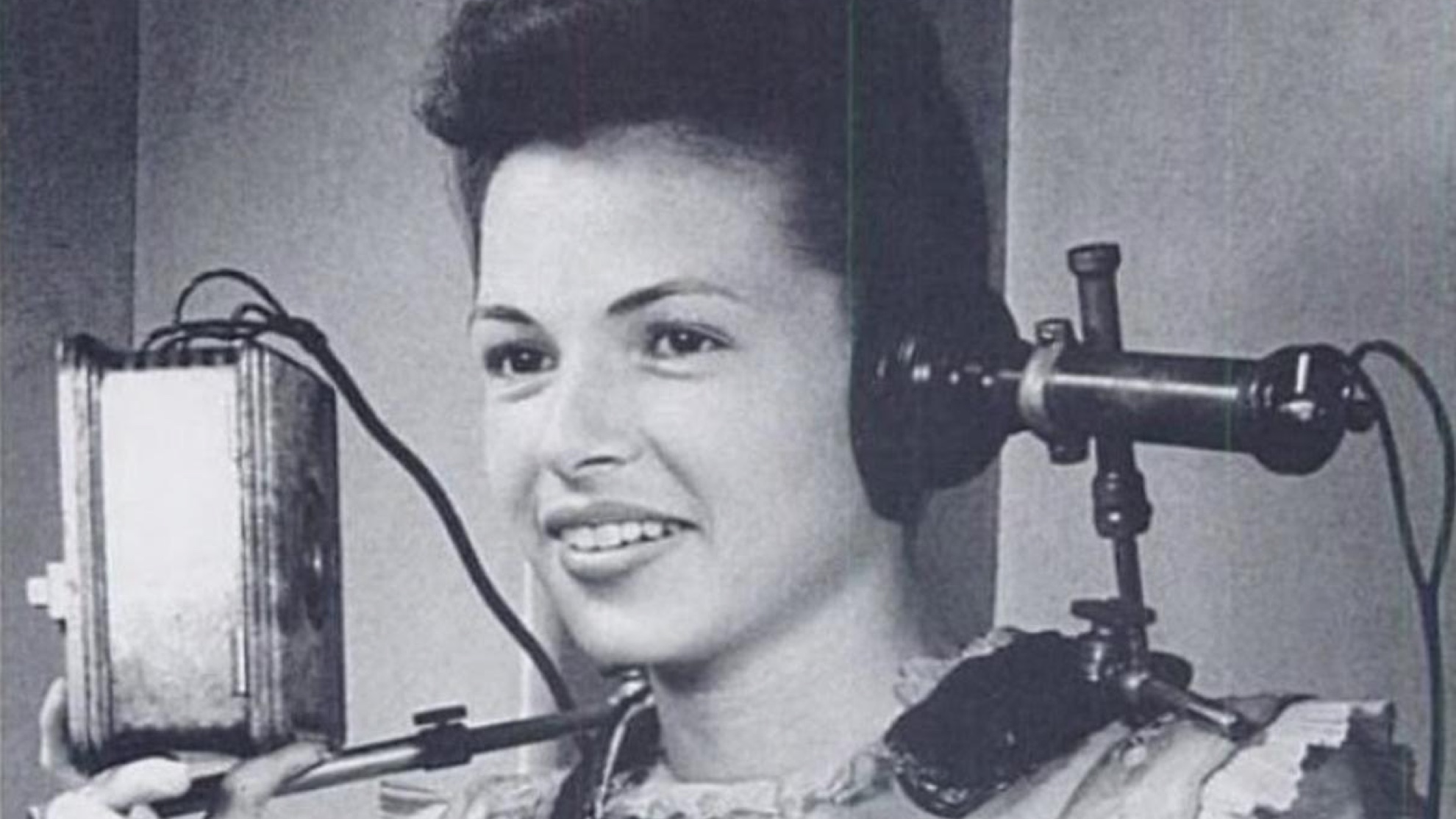
(Image credit: Twitter/Histoire & Odysee)
Headphones weren’t originally designed for music. They were made for telephone operators who needed to physically connect everybody’s phone calls. The first model, unveiled in the 1880s, didn’t look much like today’s headphones either: it looked more like a phone that had been cut in half and attached to your head. And it weighed around 5kg, the equivalent of 111 pairs of AirPods.
The first headphones were designed by Ezra Gilliland, a friend of Thomas Edison who also designed the telephone switchboard, and set the template for many models to come: these weren’t headphones for fun. They were tools for the workplace, things you couldn’t wait to tear off at the end of the working day.
1890s: the original earbuds and Spotify too
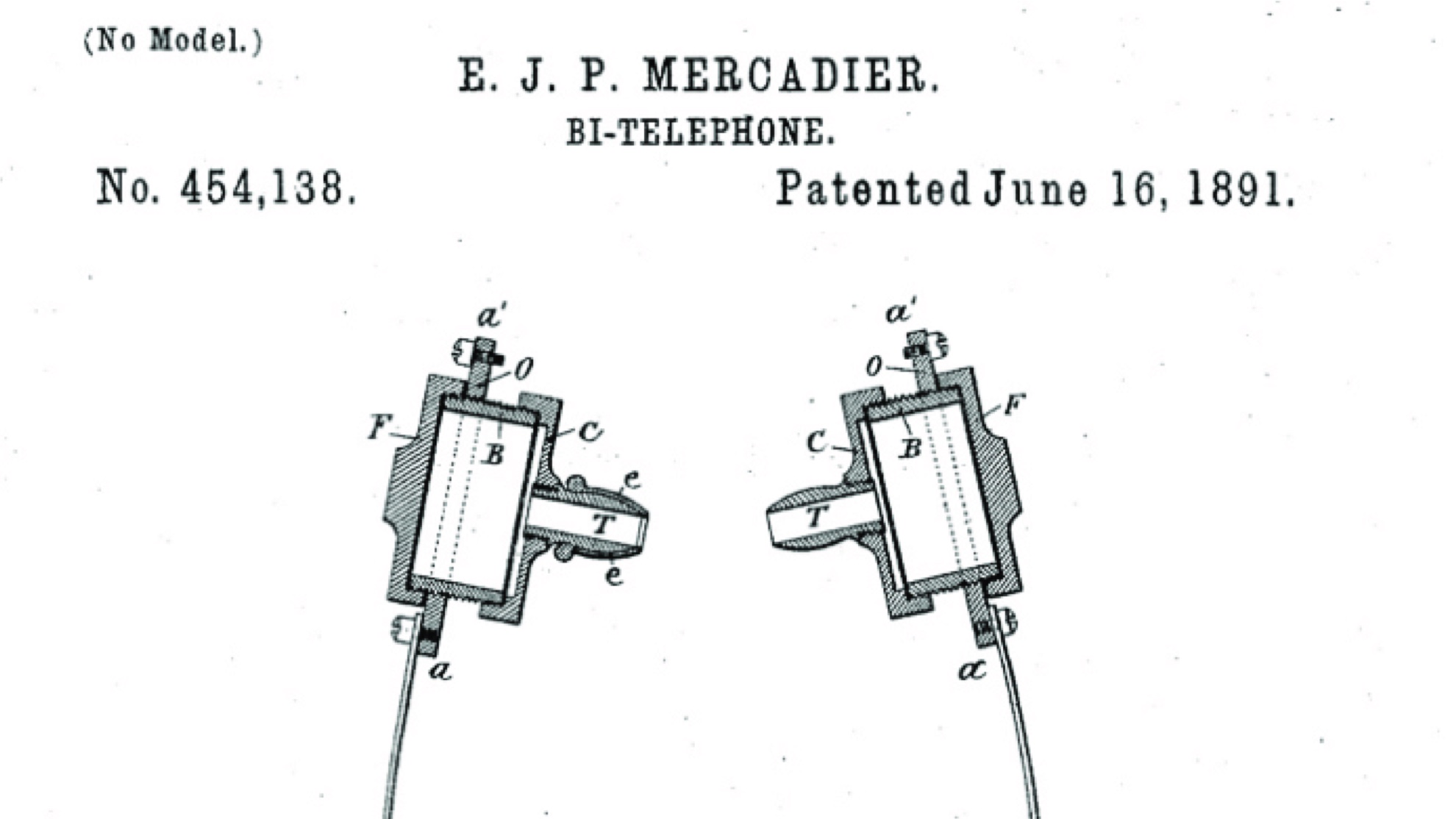
(Image credit: Public Domain)
If, like me, you thought earbuds were a very modern invention, think again: they’ve been with us since 1891, when Ernest Mercadier patented his “bi-telephone” and suggested using rubber covers to make them more comfortable. As with Gilliland’s operator phones, the bi-telephone was intended to be used by telephone operators.
The same decade saw the invention of the Electrophone, a kind of pre-digital Spotify where you could don headphones, dial in to a switchboard and listen to live performances from London theaters.
1910: the first headphones that looked like headphones
Nathaniel Baldwin came up with the first recognizably headphone-y headphones in 1910, selling them to the US Navy for use by radio operators. His headphones featured a new, more sensitive kind of receiver that Baldwin declined to patent because he thought his invention was “trivial”. But he did patent his headphone design, which you can still see in today’s over-ear headphones.
1958: the first stereo headphones and the first cans made for music
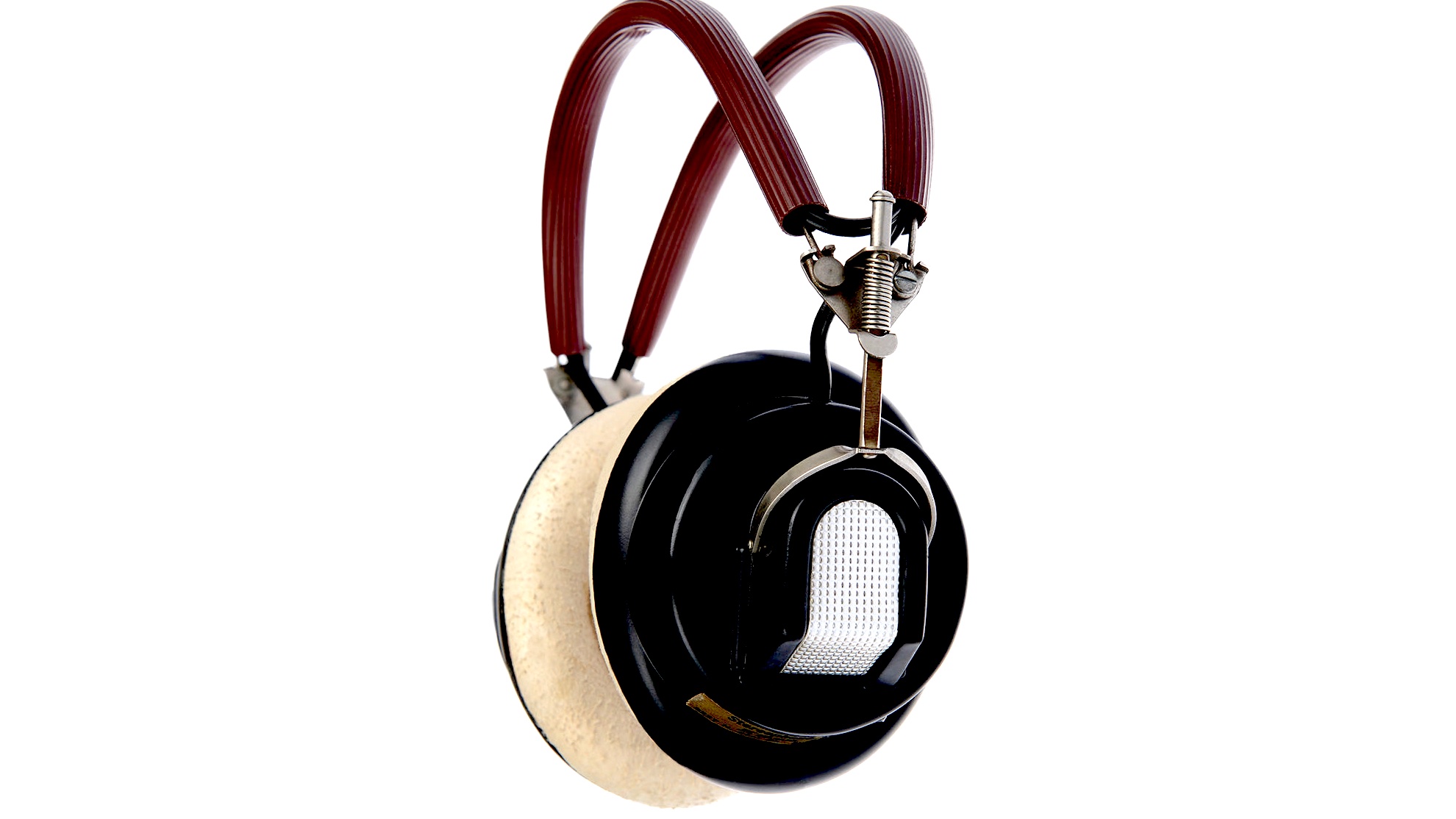
(Image credit: Koss)
You can thank John Koss for whatever you listen to your music on today: his Koss SP-3 headphones not only introduced stereo listening, but they were the first cans designed specially for personal music listening. Koss was a big fan of jazz, and wanted to recreate the excitement of a live musical performance so you could enjoy it anywhere. Today Koss is a huge audio brand making every conceivable kind of headphone and speaker.
1960s: the first wireless headphones and open-back cans
(Image credit: RCA)
The first wireless headphones were released decades before Bluetooth. In the 1960s, multiple manufacturers offered solid state radio headphones that enabled you to listen to radio while looking a bit like one of the Cybermen from Doctor Who.
Headphone design really evolved during this period. John Koss – yes, him again – had originally aped Baldwin’s Navy headphones, but in the 1960s his headphones borrowed from airline and military models and introduced broader, more comfortable headbands and noise-reducing ear cups to help you hear the music more clearly. You can see the airline-style designs of the era in the image above, which is an RCA advert from 1972.
(Image credit: Sennheiser)
Koss didn’t just make headphones. He made deals too, and one of his best ones was with The Beatles: the Beatlephones were the first big-name branded headphones and sold like hotcakes while Dr Dre was still taking his first baby steps, long before Beats.
There was another key development in the 60s: Sennheiser’s HD414, launched in 1968. These were the first open-backed headphones, allowing outside audio in, delivering a more spacious sound, and making them much safer for listening to on the move – something that was still relatively rare in personal audio. They also introduced something else that would soon become iconic: brightly coloured foam ear pads.
1970s: the future’s orange (and blue, and…)
(Image credit: Sony)
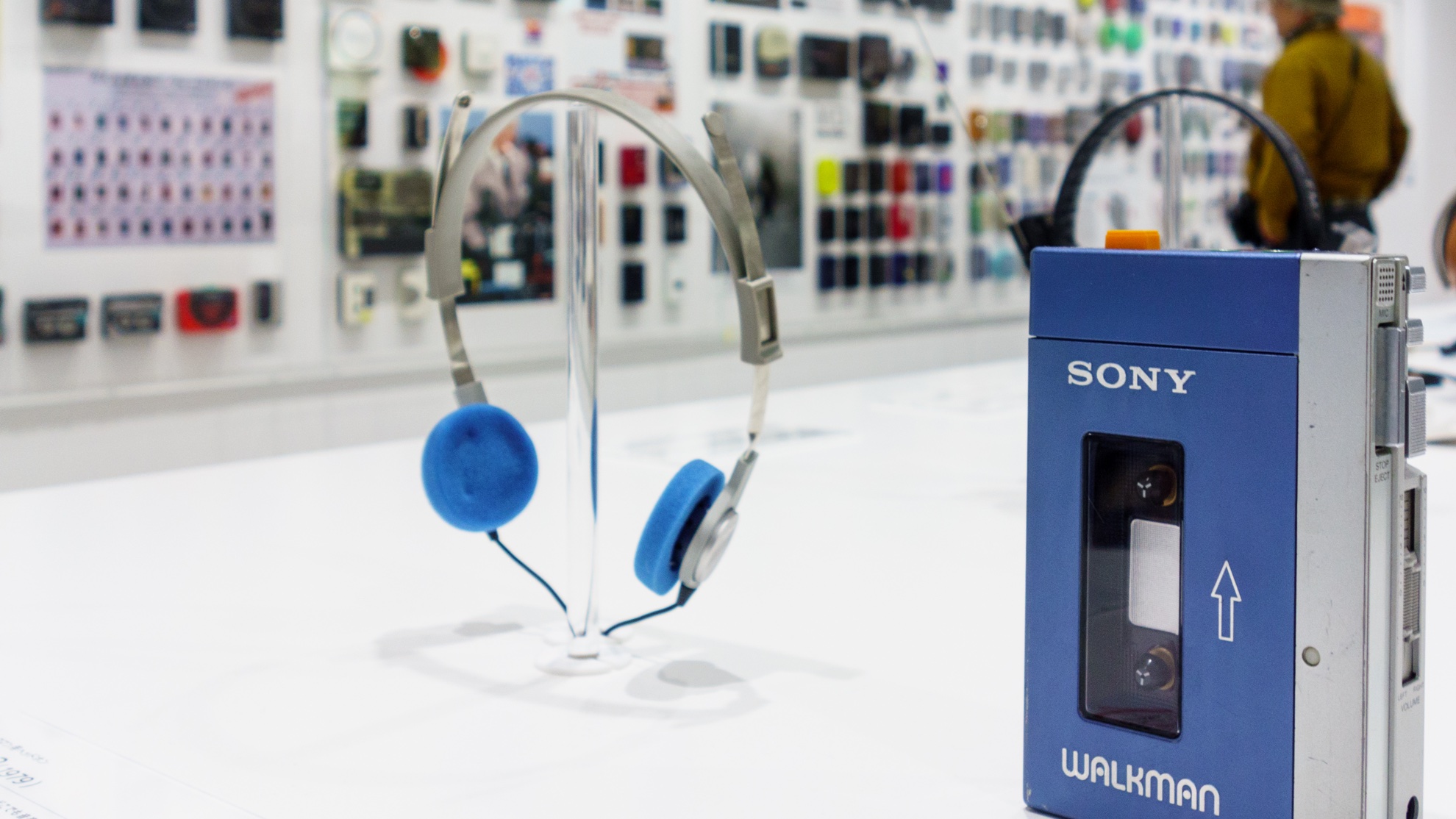
By the 1970s headphones had become truly mass market products and worked in two key markets: the teen market and the audiophile market. And then Sony came along and changed everything. The Walkman, introduced in 1979, came with ultra-light open-backed headphones with a super-skinny headband that enabled you to wear them on your head or park them around your neck. Its brightly coloured headphones were as iconic in the 1980s as Apple’s iPod headphones would be in the 2000s, and they effectively introduced Main Character Syndrome: with your Walkman and your headphones on, you were the star of your own movie with an incredible, omnipresent soundtrack.
1990s: brand new retro
As new technology introduced higher quality portable music formats – portable CD players, portable DATs if you were loaded, and later on Digital Compact Cassette and MiniDisc –portable headphones got better too, although you wouldn’t always know it given the poor quality models that often came in the box with new audio hardware. That was great for the third party market, though, and the growing popularity of portable audio meant that nobody thought you were a weird loner if you wore your headphones in public. In fact, they became a badge of pride: in the 1990s, big closed-cup headphones were a sign that you took your music more seriously than the foam-eared brigade. Maybe you were a DJ!
With headphones firmly in the fashionable category, headphone design went to all kinds of interesting places in the 90s: headbands, neckbands, earbuds, over-ears and open-ears came in every conceivable shape and size.
2001: Apple changes everything
(Image credit: Apple)
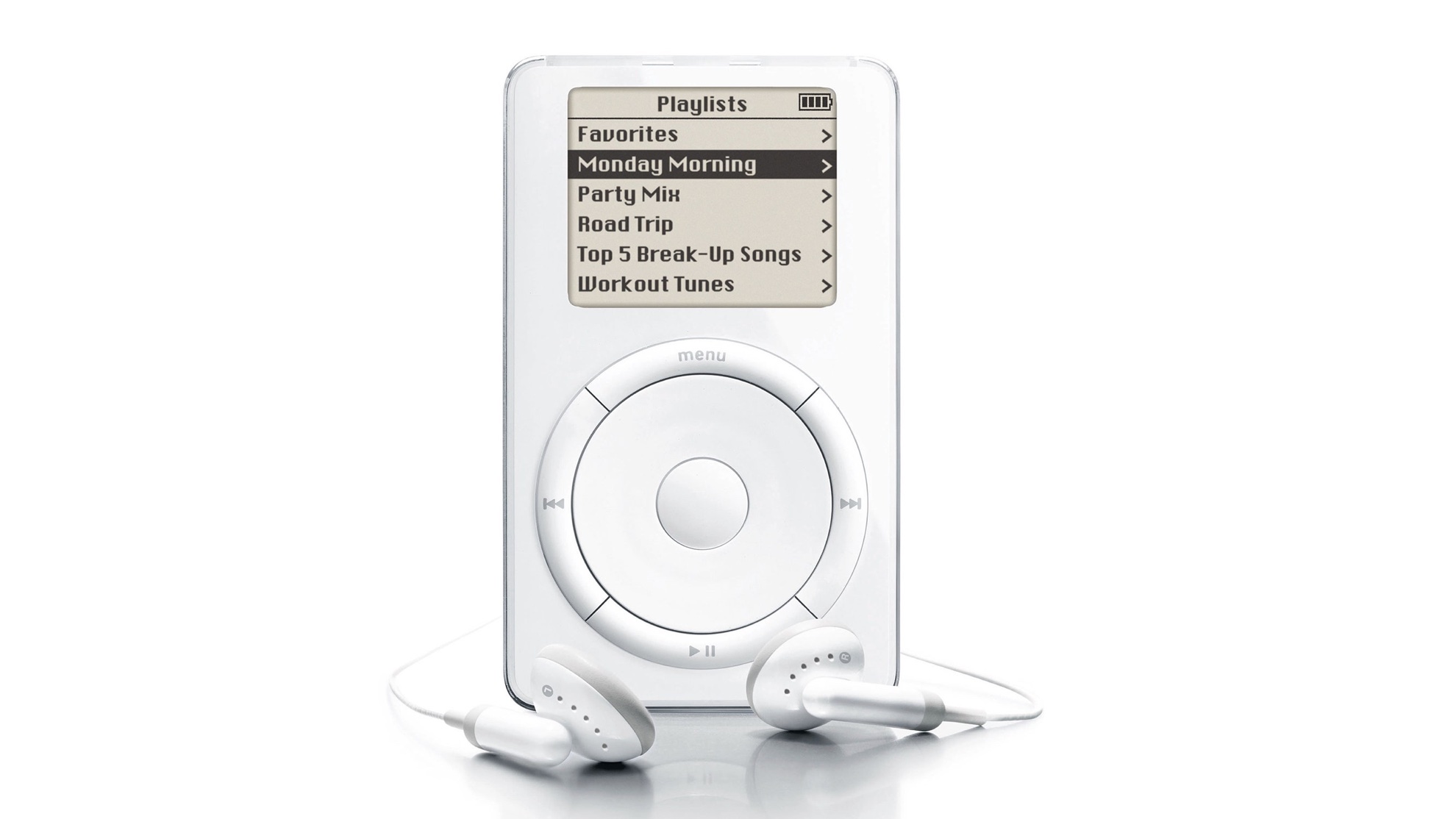
In 2001, Apple launched the iPod. You may have heard of it. It wasn’t the first hard disk digital music player and some would say it wasn’t the best either, but it became the digital music’s Walkman and made digital music mainstream. The headphones weren’t exactly great but they were a sign that you were cool enough to have an iPod, and Apple’s inspired ads made them the stars of the show.
2004: kind of blue
Bluetooth, named after the tenth-century Danish king Harald Bluetooth, was launched in 1999 as a way to wirelessly connect microphones and headphones. It wasn’t initially used for music because quite frankly the sound quality was awful, but it became popular among the business and professional driving crowd; for a while blinking Bluetooth earpieces made every travelling salesperson or taxi driver look like one of Star Trek’s Borg.
That’s not to say there weren’t Bluetooth headphones for music; the first products hit the market in 2004. They just weren’t very good.
2007: the iPhone arrives
(Image credit: Beats)
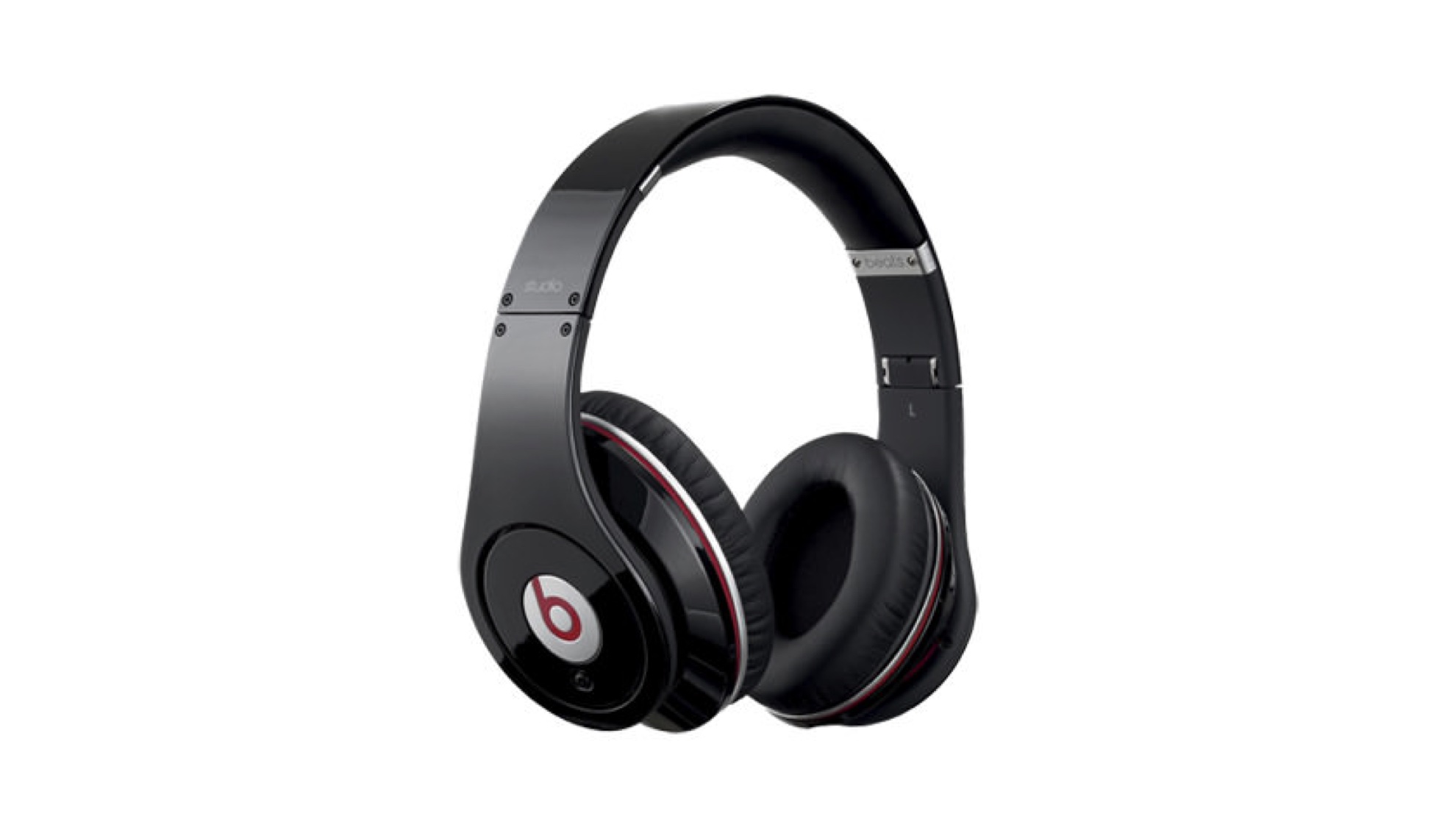
Like the iPod, the iPhone wasn’t the first of its kind. But history repeated, or at least rhymed, and the iPhone put an iPod in everybody’s pocket. The intense competition in the smartphone market meant serious amounts of money going into research and development, and the results – ever smaller, more efficient batteries; ever-improving versions of Bluetooth; software-based noise cancelling; improvements in materials and manufacturing technology and so on – would soon have an impact on all kinds of devices, including headphones.
Bluetooth headphones became huge in the 2010s, with brands such as Beats driving the mass market. The sound quality wasn’t there yet for the audiophile market, but it was heading in the right direction.
2016: AirPods
(Image credit: Maurizio Pesce)
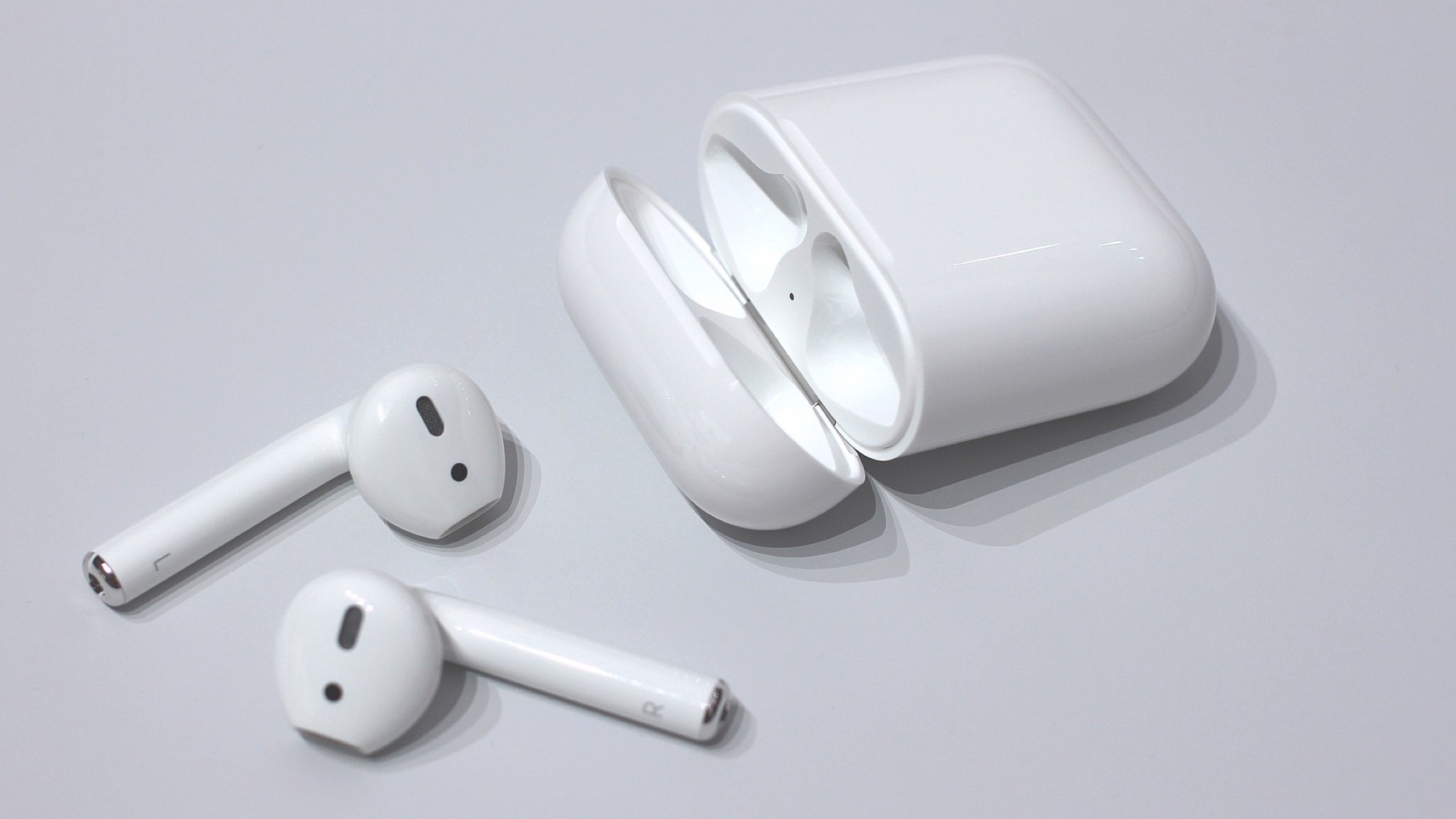
Yes, Apple again – and stop us if you’ve heard this before. AirPods weren’t the first wireless earbuds, and they weren’t the best either. But they were a huge success, and dominated the earbud market by 2020. They’d been in development for a long time – the first recognisable patent was filed in 2011 – and their success was partly because Apple scrapped the headphone jack in the 2016 iPhone 7, instantly making wired headphones an enormous pain to use.
That decision may have been wildly unpopular and hugely criticized at the time, but it cemented wireless headphones’ place as the present and future of mobile audio and set the template for what to expect: quality sound, easy pairing and the ability to find them if you misplaced them.
2022: Now what?
The final step in wireless headphone technology is to overcome its Achilles heel: bandwidth. Bluetooth can only stream so much data, and in basic Bluetooth that isn’t enough for truly high resolution audio. But Bluetooth aptX HD and Sony’s equivalent, LDAC, are vast improvements, and there are also aptX Adaptive and aptX Lossless to take things even further.
I’m currently testing a pair of aptX Adaptive earbuds and the sound quality is truly extraordinary – and the buds don’t cost any more than a pair of AirPods Pro. Just when you thought wireless headphones couldn’t get any better, they got better all over again.
If cash is your main concern, the Fitbit Inspire 2 is a no-brainer. Even when it was brand new it cost substantially less than the Garmin Vivosmart 5, and now that it's a couple of years old you can often find it at a fraction of its launch price. If money is particularly tight, keep an eye out for some huge discounts on Amazon Prime Day and Black Friday, when we've seen it particularly steeply discounted.
Both the Vivosmart 5 and Inspire 2 are capable fitness trackers that will serve you well if you simply want a gentle nudge towards healthier habits, but if you're starting to get interested in working out (at the gym, at home, or outdoors) then you might benefit from Garmin's more advanced workout monitoring tools. For example, The Vivosmart 5 can estimate your VO2 Max (a measurement of how much oxygen you use during exercise), track more activities, and alert emergency contacts if you take a fall while working out.
The Vivosmart 5 also offers more advanced sleep tracking than the Inspire 2, and the Garmin Connect app provides you with full analysis of historical data and training tools free of charge, whereas Fitbit requires a monthly subscription payment to unlock everything that your watch has revealed.
If you've made up your mind, we've rounded up the best prices for the Garmin Vivosmart 5 and Fitbit Inspire 2 right here. If not, read on to learn more about both devices.
Price and availability
Garmin Vivosmart 5 is newer
Garmin Vivosmart 5 is more expensive
Fitbit Inspire 2 often discounted on Amazon
The Garmin Vivosmart 5 went on sale on 20 April, 2022 for $149.99 / £129.99 / AU$229. You won't yet find it cheaper at any third-party retailers, but you may be able to find it a little cheaper at stores like Amazon in a few months' time.
The Fitbit Inspire 2 launched on September 25, 2020 for $99.95 / £89.99 / AU$149.99, and can be found much more cheaply at various retailers if you shop around. However, if you want to get the most out of the Inspire 2, it's also worth considering the cost of a Fitbit Premium subscription. You'll get a six-month free trial with any new Fitbit device, after which it'll cost $9.99 / £7.99 / AU$15.49 per month.
The Fitbit Inspire 2 can be found much more cheaply than the Garmin Vivosmart 5(Image credit: Fitbit)
Design and display
Both are slim, lightweight fitness trackers
Same screen tech, but Vivosmart 5 is higher resolution
Vivosmart 5 comes in two sizes; Inspire 2 comes with two bands
Both the Garmin Vivosmart 5 and Fitbit Inspire 2 are slim fitness trackers, and they share a lot of similarities. Both have a plastic case and silicone band that fastens with a plastic buckle and tang, and are light enough to be unnoticeable in daily use.
Both have backlit monochrome OLED displays, but the Vivosmart 5's screen is sharper and can display more text at once thanks to its higher resolution (88 x 154 pixels compared to 36 x 126 pixels for the Inspire 2). The Vivosmart 5 also has an ambient light sensor, allowing the screen's brightness to adjust automatically to suit the general lighting conditions,
Both watches also have touchscreen interfaces that are supplemented by small buttons that are used to select options or move back through menus; the Vivosmart 5 has a button on the face, while the Fitbit Inspire 2 has a button on either side of the case.
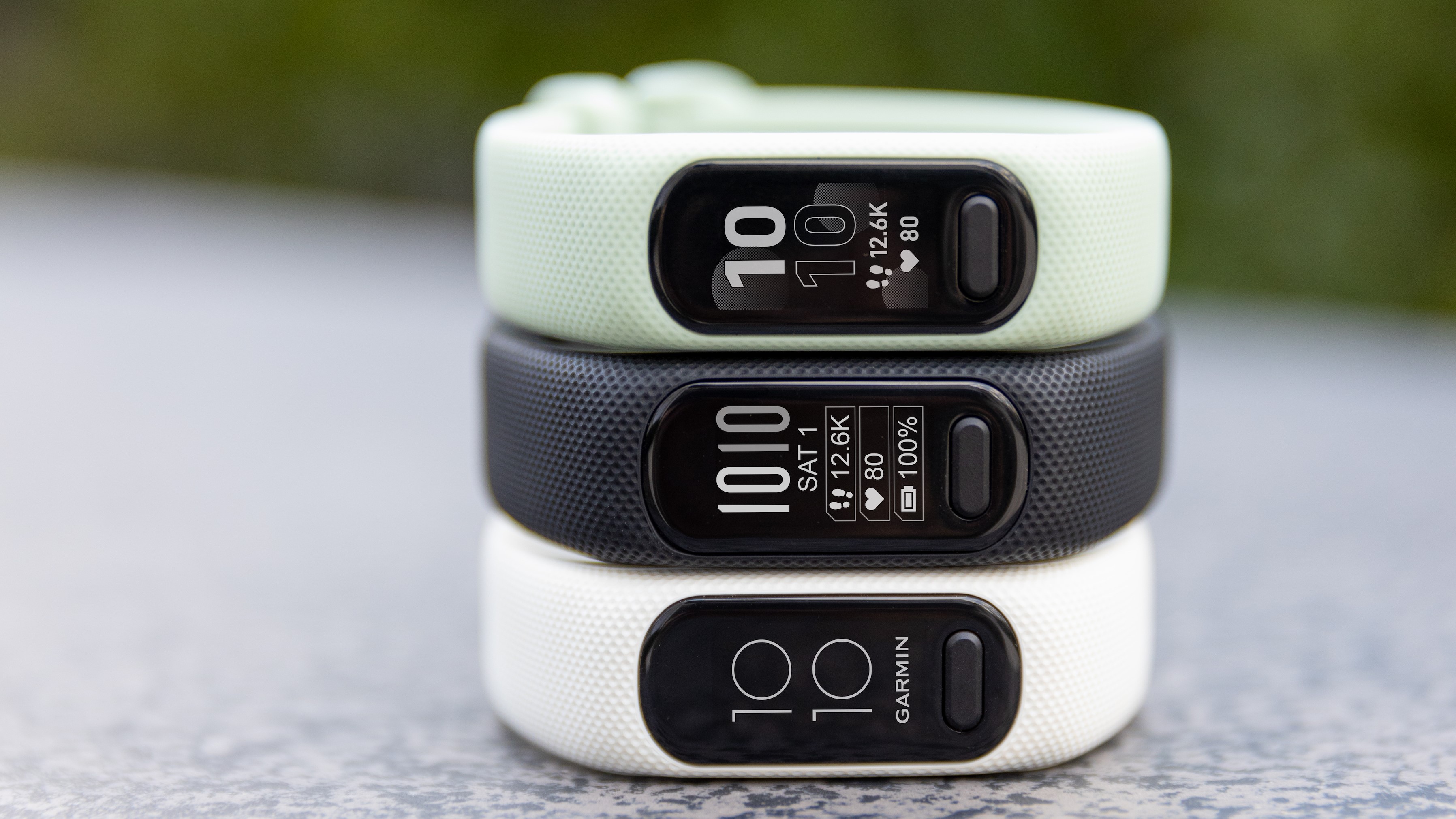
The Garmin Vivosmart 5 comes in two sizes: the small/medium (which should be suitable for most wrists) and large. The smaller model comes in three colors (black, white, and mint), while the large version is only available in black. The Fitbit Inspire 2 can only be bought in one size, but comes with two straps to suit different sized wrists. It comes in black, pink, and off-white.
The Garmin Vivosmart 5 comes in three colors: black, white, and mint(Image credit: Garmin)
Battery life
Fitbit claims longer battery life
Both last around a week on one charge
At the time of writing we've just started testing the Garmin Vivosmart 5, so we can't give our own assessment of its battery life, but Garmin claims that it can keep running for up to seven days on a single charge without SpO2 or sleep tracking enabled.
Fitbit, meanwhile, claims maximum battery life of up to 10 days, depending on how you use the Instinct 2, which was what we found in our testing.
Fitness tracking tools
Both have all the fundamentals covered
Vivosmart 5 offers more advanced training tools
Vivosmart 5 has safety features to alert emergency contacts
Both fitness trackers have all the basics covered, including 24/7 heart rate tracking, step counting, and a good range of workout tracking modes for both indoor and outdoor activities.
The Vivosmart 5 also has some more advanced tools to offer. It's certainly not a fully fledged running watch like the Garmin Forerunner 55, but it can calculate a VO2 Max estimate based on your running performance and track heart rate zones during training sessions.
However, it's important to note that neither device has its own GPS module. Instead, they piggyback on your phone's GPS to track your route and pace on runs, walks and bike rides, which is less convenient and usually a little less accurate than on-board GPS. If you want a slim fitness tracker with GPS built-in, take a look at the Fitbit Charge 5.
Both watches can track sleep stages and duration, but the Vivosmart 5 has an SpO2 sensor for measuring blood oxygen saturation, and gives more advanced sleep metrics, including respiration and movement throughout the night.
When it comes to safety, the Vivosmart 5 has the edge again. Its incident detection can alert an emergency contact if it detects a fall while you're in the middle of a tracked workout, informing them of your current location. There's also Garmin Livetrack, which allows contacts to monitor your location while you're running, walking, or cycling.
Neither than Fitbit Inspire 2 nor the Garmin Vivosmart 5 have on-board GPS for tracking your pace and route during workouts(Image credit: Fitbit)
Other features
Both can receive smartwatch notifications
Garmin Vivosmart 4 can send text responses
Both can find your phone (and vice versa)
Neither the Vivosmart 5 nor the Inspire 2 is a fully-fledged smartwatch, but both devices have some handy features beyond exercise tracking. For example, both devices allow you to receive smartwatch notifications on your wrist, and if you have an Android phone, the Vivosmart 5 lets you send automatic text responses or reject calls with a text while you're working out
You can use the Vivosmart 5 to find your phone, or vice versa, and the Fitbit Inspire 2 can do the same thing provided you have the Tile app installed.
Both devices offer stress tracking throughout the day (based on changes in heart rate variability), and can lead you through breathing exercises if you're starting to feel the strain.
If you've got an old gadget you love to use even though it's a struggle because of its age, then using one of the best power banks might help you extend its lifespan.
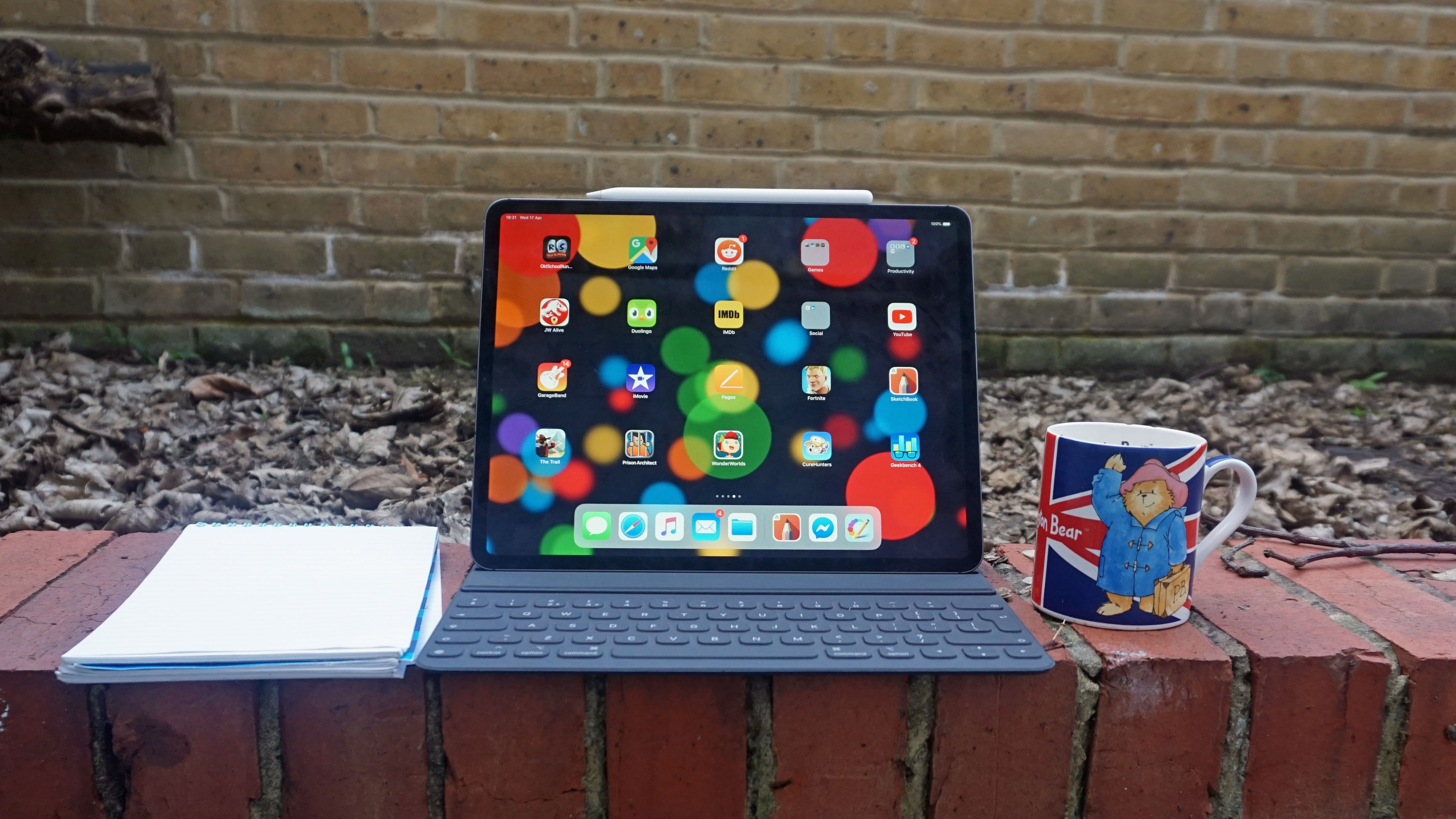
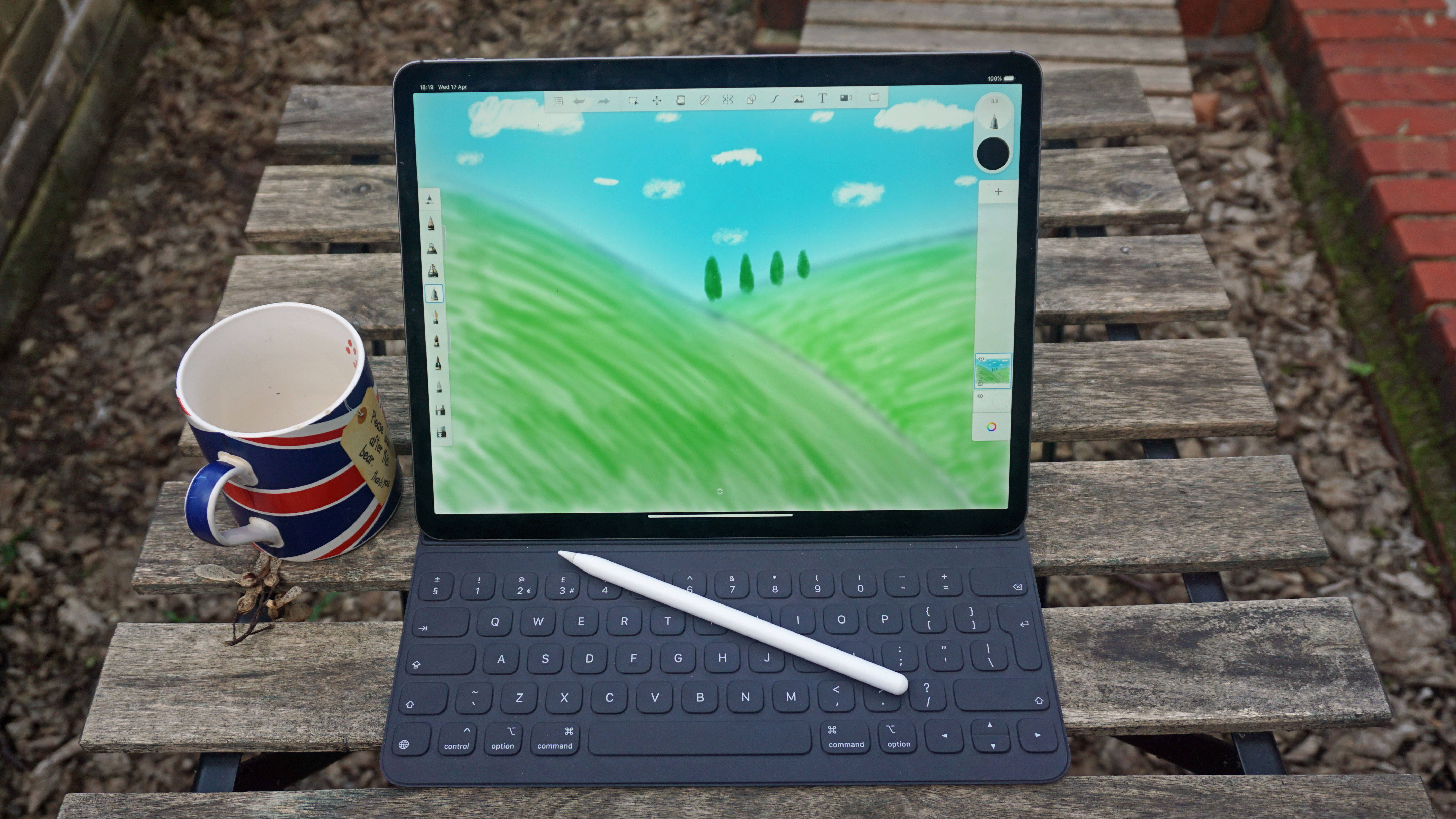
This is something I discovered when trying to eke extra mileage from my iPad Pro 12.9, because while I still like using it for creative and professional tasks, several years of intensive use has made it hard to rely on for stints of work.
That is, until I employed a portable charger to help me improve the way it works.
Taking a battery-ing
The thing that most affects a gadget over time is its battery life — constant cycles of discharging and recharging can greatly reduce its power capacity, meaning it lasts less and less time while unplugged.
You might not notice it from day-to-day use, but over several years of use, the power drain will become noticeable. If you've got an old iPhone that seems to burn through the battery percentages, you'll know what I mean.
I used to take my iPad for days out working in coffee shops, and I'd spend between six and eight hours on the screen between walks to different cafes and breaks to do other things.
(Image credit: Future)
Nowadays, though, I'll get about half that time. Having plain white documents open on the display will eat up the battery, even if I'm not connected to Wi-Fi and have other features disabled too.
Enter a power bank
I've got several power banks (for testing purposes), but the various ones I've been using all clock in at a massive 20,000mAh. That's generally the biggest capacity charger you'd consider buying, as any bigger and you're getting an absolutely massive device, but smaller and you won't get too many charges.
At that capacity, I'll be able to charge up the iPad's 9,720mAh battery twice, with a little leftover for whatever headphones I'm using (or to give my smartphone some extra juice).
I wouldn't actually power it up to full twice — that'd give me way more screen time than I'd actually need — but the versatility of having this amount of power is really useful.
This amount of extra battery is helpful if I have a smartphone that needs lots of juice. It's also useful for days when I completely forget to power up the portable charger before taking it with me; I'll know I'll have at least enough left in it to power up the iPad once.
A power bank is easy to use at a coffee shop as I can keep it plugged into the iPad while I work. Sure, the banks actually charge at a slower rate than the iPad drains power, but if it's plugged in all the time when I'm using it, this discharge isn't fast at all.
(Image credit: Future)
Lots of the power banks I've started using actually have built-in displays that tell me how much charge they have left, which is really useful when I'm looking to work out which to take. Most others have LED strips which light up depending on how much power they've got, which is a rudimentary but still-useful way of letting me work out which to take.
My only concern is that most of the power banks I used power via micro USB, so they're not too quick to power if I find all my portable chargers are low on power before heading out of the house. It also means that I have to dig up my sole micro USB charger now and then, which I otherwise only use for my Kindle and PS4 controller — and hide at the bottom of a drawer as a result.
Keeps an old gadget ticking
If it wasn't for my portable power bank, I'd likely have stopped using my iPad Pro for working when out and about, as the power drain and its aching joints would make it hard to use outside my home (when I'm always near an outlet and charger).
This is the same for other gadgets as well — if you find your old iPhone runs out of power by lunchtime, or your smartwatch needs constant powering to keep it going, a portable charger will be great for a mid-day top-up.
Sure, in that case you won't need 20,000mAh like me — 10,000mAh or even just 5,000mAh will be enough, and more portable to boot.
Our list of the best power banks contains a range of different kinds of power banks, so whether you need a chunky charger or a baby bank you'll be just fine (it's also got some interesting ones like solar-powering or wireless). So if, like me, you've got an aging gadget you want to get some extra life from, you should really take a look at this list.
This website is made by Witnux LLC. This website provides you with all the news feeds related to technology from large tech media industries like GSM Arena, NDTV, Gadgets 360, Firstpost and many other such ates altogether at technical depicts so that you need not go to several sites to view their post provide you advantantage of time.
From the developer
Tanzeel Sarwar
OUR OTHER NETWORKS
OUR YOUTUBE CHANNEL
ROVE REVIEWS PLEASE SUBSCRIBE
OUR FACEBOOK PAGE
The Rove Reviews
Support
Trying our best to provide you the best DONATE or SUPPORTour site Contact me with details how are you gonna help us